Webmaster Tools
Webmaster tools are a set of tools and resources provided by search engines like Google and Bing to help website owners, webmasters, and SEO professionals manage and monitor their websites’ presence and performance in search engine results. Here are some popular webmaster tools: Google search console, Microsoft clarity, SEMrush, etc.
What Are Webmaster Tools?

Webmaster tools are platforms and software that help website owners monitor, manage, and optimize their websites for search engines. These tools provide detailed insights into how your website is crawled, indexed, and ranked, allowing you to identify issues and improve performance.
In simple terms, webmaster tools act as a communication bridge between your website and search engines like Google and Bing. They show you what’s working, what’s broken, and what needs improvement.
The purpose of webmaster tools goes beyond just tracking rankings. They help you:
- Detect technical SEO issues
- Monitor keyword performance
- Analyze backlinks
- Improve site speed and user experience
- Ensure proper indexing of pages
Every website owner needs webmaster tools because SEO is essential for online visibility. Without these tools, you are essentially guessing what works. You may miss critical errors like broken pages, indexing problems, or slow loading speeds—all of which can negatively impact your rankings.
Moreover, these tools provide actionable data. Instead of relying on assumptions, you can make informed decisions backed by real metrics. This leads to better optimization, higher rankings, and increased organic traffic.
In today’s competitive digital landscape, using webmaster tools is not optional—it’s a necessity for sustainable growth.
Essential Webmaster Tools Every Site Owner Should Use
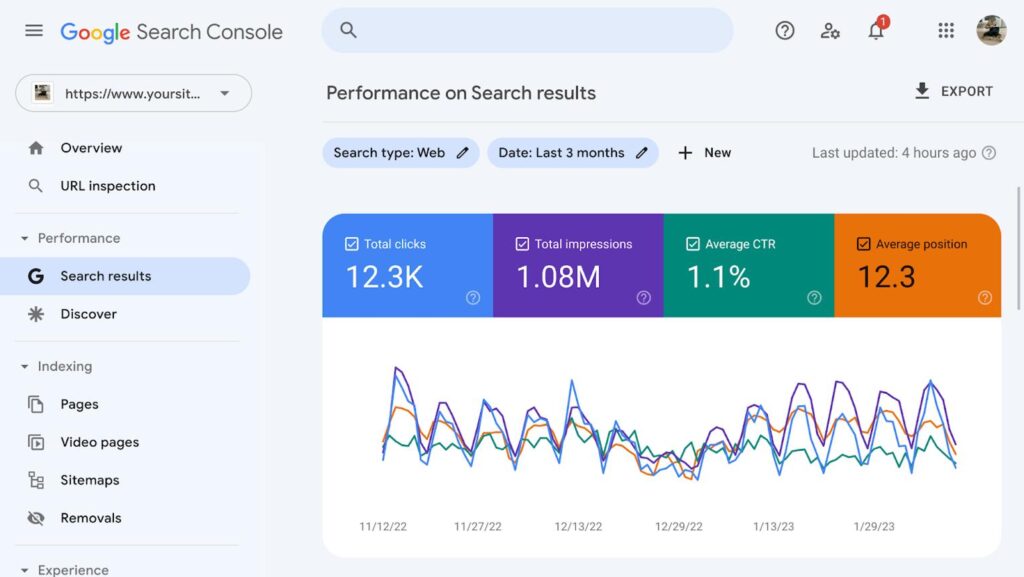
This is the most important free tool for any website owner.
Key Features:
1. Performance tracking (clicks, impressions, CTR, rankings)
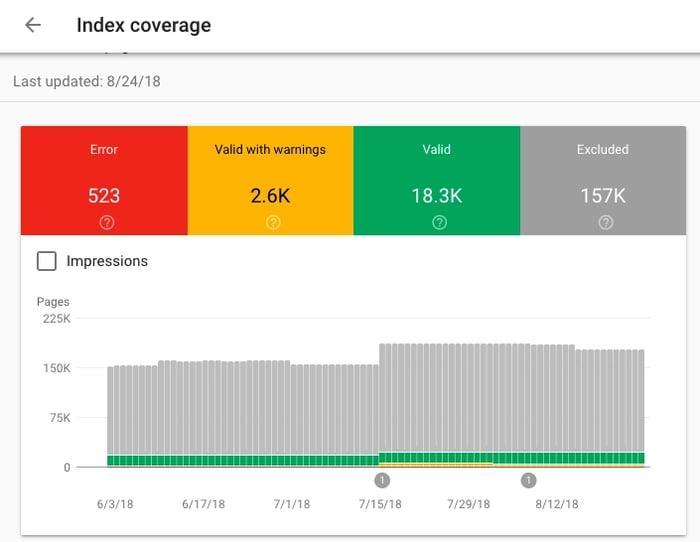
2. Indexing reports
3. URL Inspection tools
4. Sitemap submission
5. Core Web Vitals monitoring
How to Use:
1. Verify your domain
2. Submit XML sitemap
3. Monitor indexing issues
4. Analyze keyword performance
5. Fix Core Web Vitals
Hidden growth opportunity: Improve CTR on high-impression keywords to unlock instant traffic gains
Bing Webmaster Tools
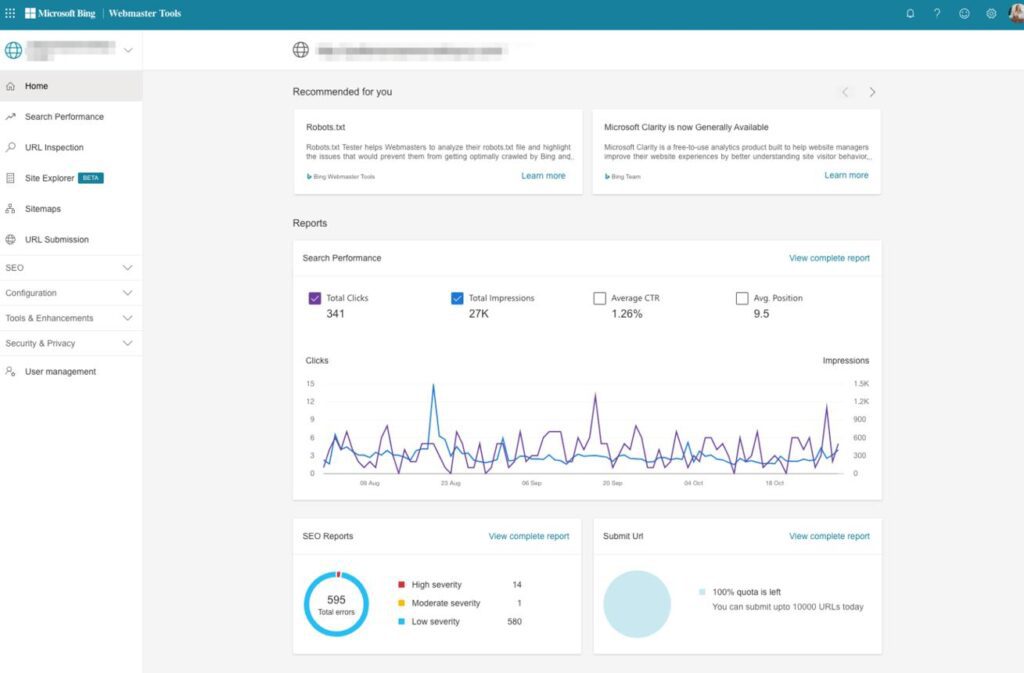
This Tool offers similar features to Google Search Console but provides additional insights and access to Bing’s search data.
Key Features:
1. SEO Reports
2. Keyword research tool
3. Backlink data
4. Site scan (technical audit)
It also allows easy import from Google Search Console, making setup quick.
Ahrefs Webmaster Tools
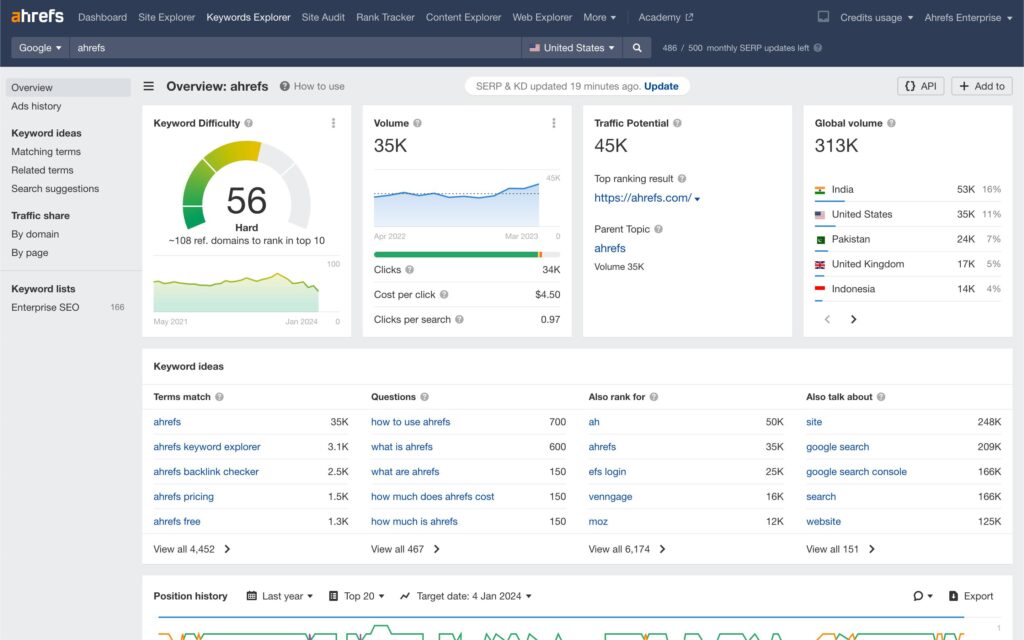
Ahrefs offers a free version of its powerful SEO suite for website owners.
Key Features:
1. Backlink analysis
2. Technical audits
3. Keyword tracking
4. Site health score
This tool is especially useful for understanding your backlink profile and identifying opportunities to build authority.
Screaming Frog SEO Spider
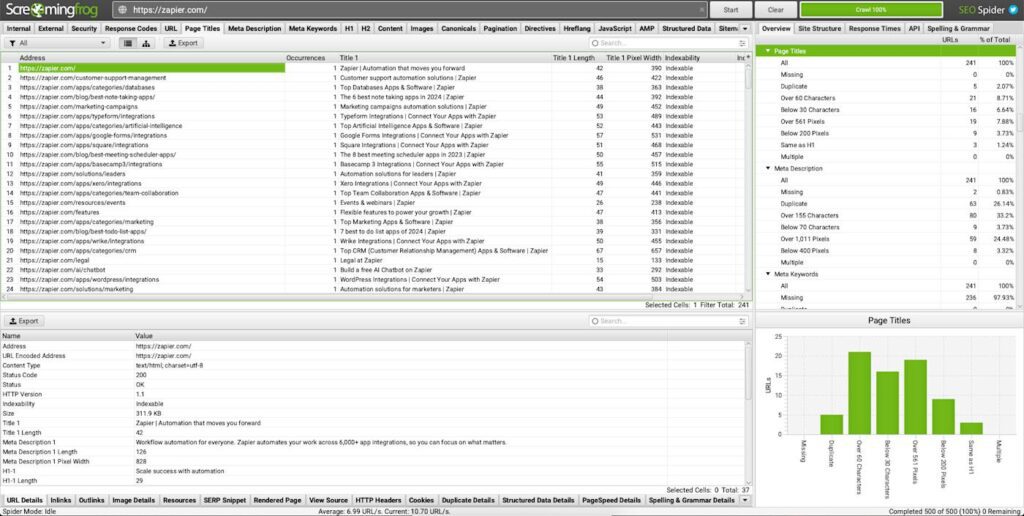
Screaming Frog is a desktop-based crawler that performs in-depth technical audits.
Key Features:
1. Crawl up to 500 URLs (free)
2. Detect broken links
3. Analyze meta tags
4. Identify duplicate content
It’s one of the most powerful tools for technical SEO.
SEMrush
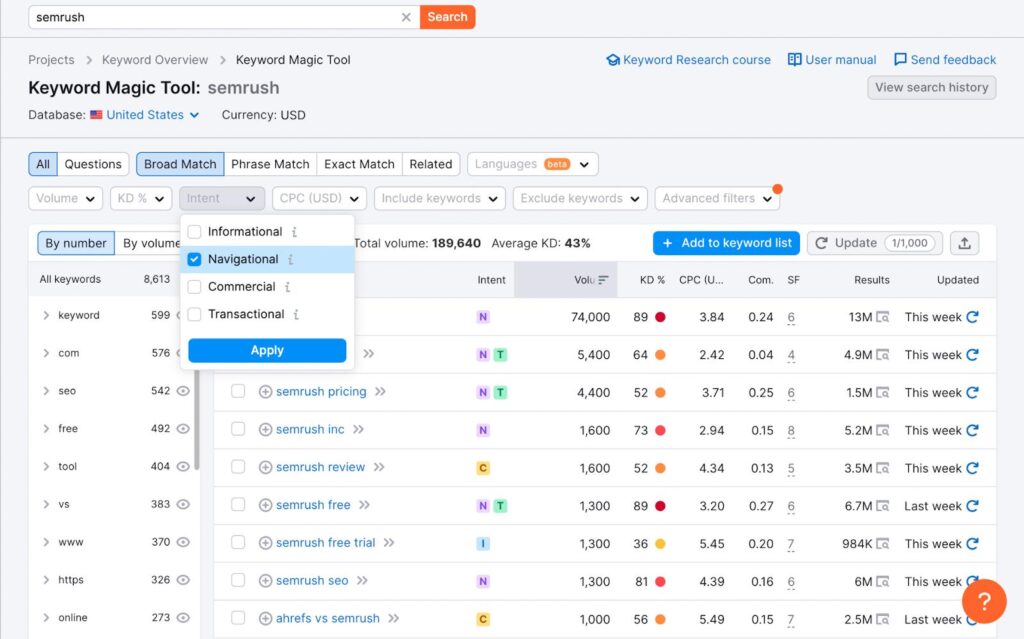
SEMrush is an all-in-one SEO tool used for keyword research, competitor analysis, and audits.
Key Features:
1. Keyword research
2. Competitive analysis
3. Site audits
4. Rank tracking
It helps you understand what your competitors are doing and how to outperform them.
Moz Pro Webmaster Tools
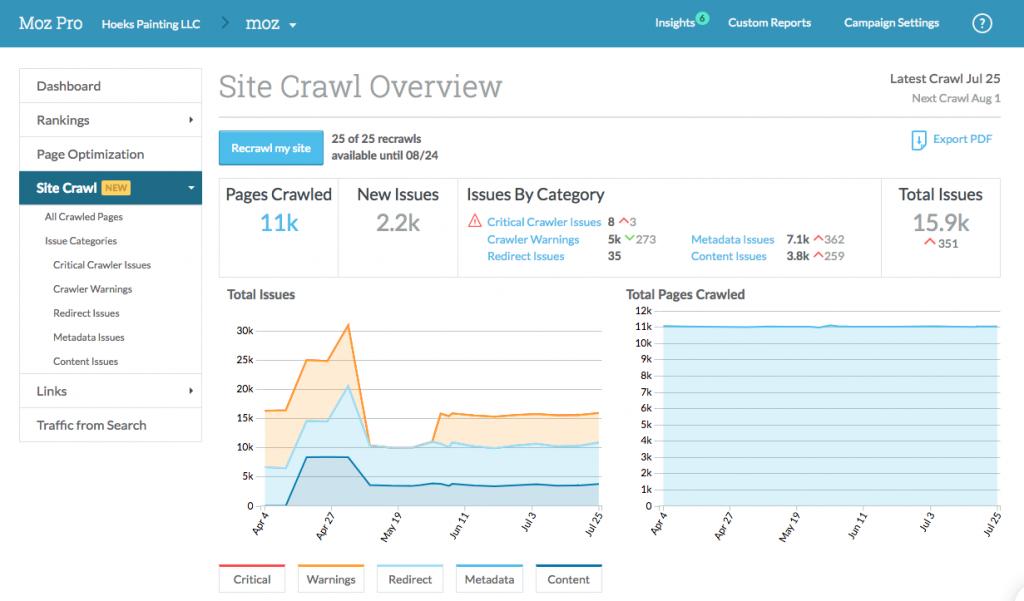
Moz Pro is known for its Domain Authority metric and beginner-friendly interface.
Key Features:
1. Domain Authority tracking
2. Keyword suggestions
3. Site audits
Ubersuggest
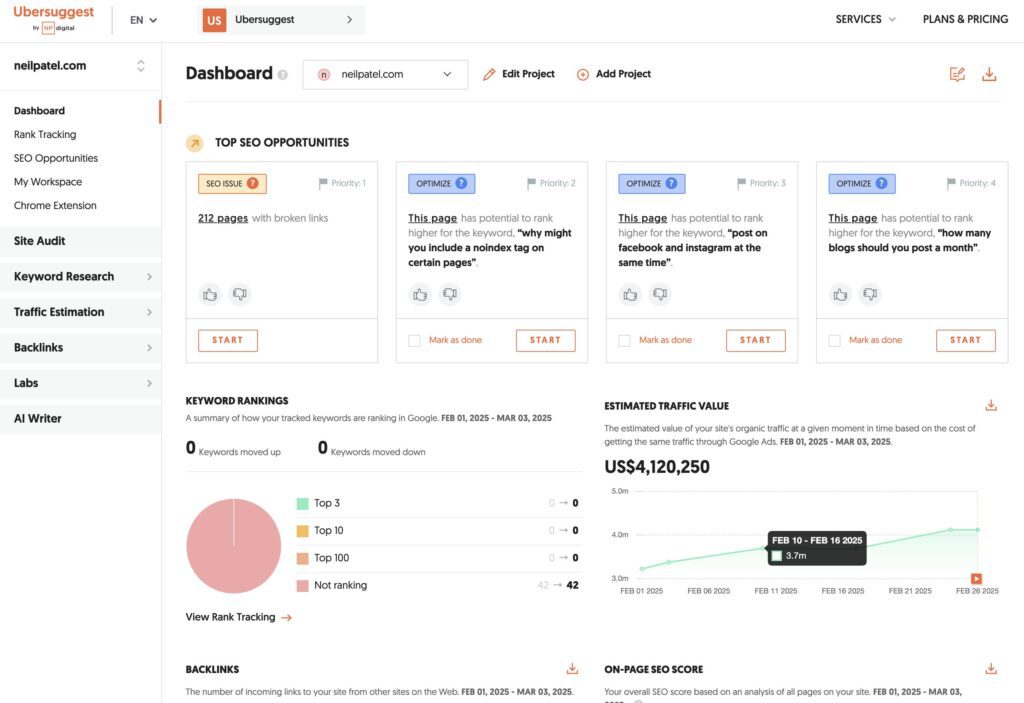
Key Features:
1. Keyword ideas
2. SEO audit
3. Traffic insights
GTmetrix
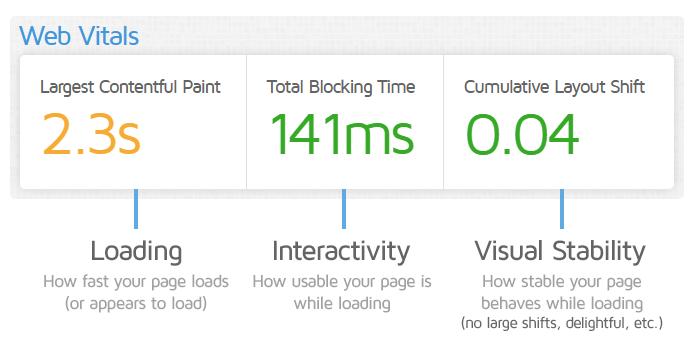
Key Features:
1. Page speed analysis
2. Core Web Vitals
3. Performance suggestions
Google Analytics
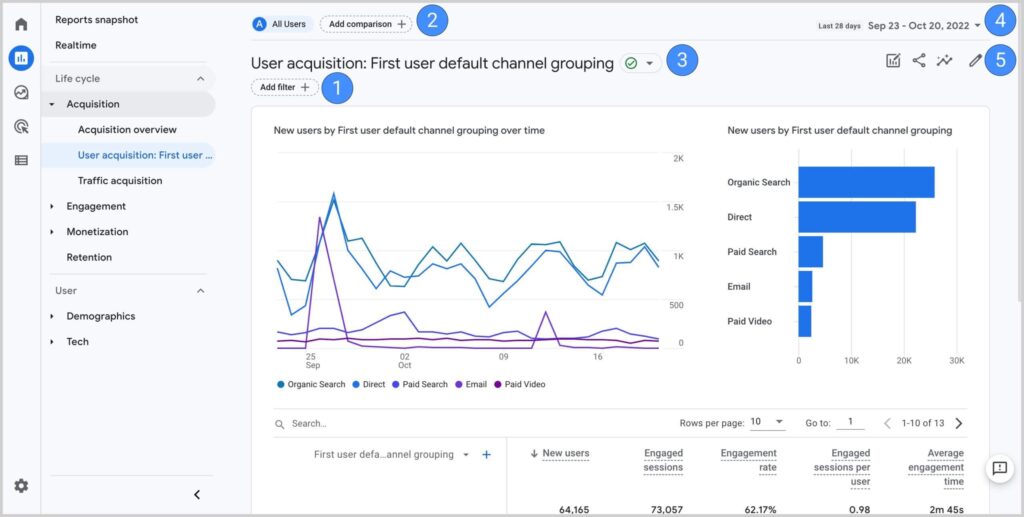
Key Features:
1. Traffic analysis
2. User behavior tracking
3. Conversion tracking
Yoast SEO
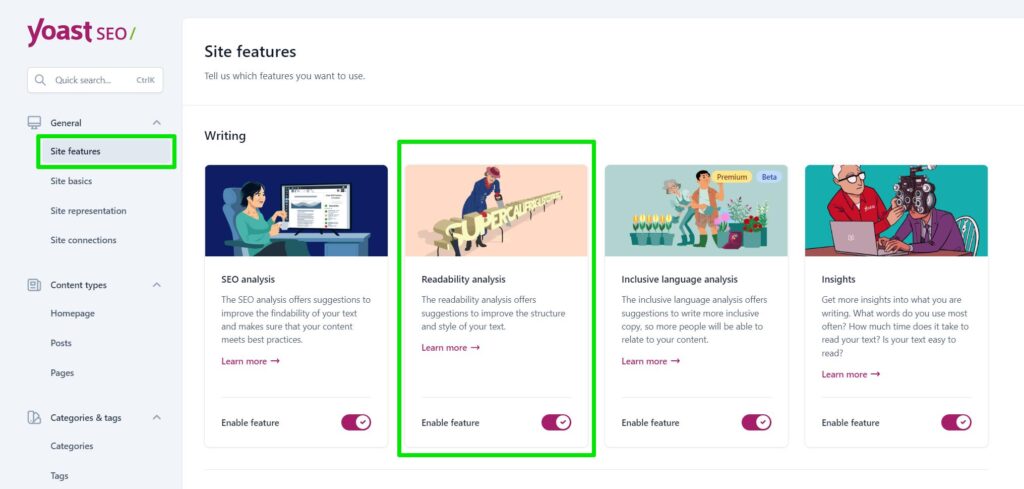
Key Features:
1. On-page SEO optimization
2. Readability analysis
3. Schema integration
How to Use Webmaster Tools for SEO


Step-by-Step SEO Workflow for Webmaster Tools
Step 1: Setup & Verification
Connect your site to:
1. Google Search Console
2. Google Analytics
Step 2: Fix Indexing Issues
Check Coverage report
Fix:
1. Crawled but not indexed
2. 404 errors
3. Redirect issues
Step 3: Keyword Optimization
Find:
1. High impression, low CTR keywords
Improve:
1. Title tags
2. Meta descriptions
Step 4: Technical SEO Audit
Use:
1. Screaming Frog SEO Spider
2. Ahrefs Webmaster Tools
Fix:
1. Broken links
2. Duplicate pages
3. Missing tags
Step 5: Backlink Analysis
Use:
1. Ahrefs Webmaster Tools
2. SEMrush
Focus on:
1. High-quality backlinks
2. Competitor link gaps
Step 6: Improve Page Speed
I. Analyze via GTmetrix
II. Optimize:
1. Images
2. Scripts
3. Hosting
Common Use Cases:
1. Diagnosing traffic drops
2. Finding ranking opportunities
3. Fixing technical errors
4. Tracking SEO performance
Comparison Table
| Tool | Free/Paid | Best For | Key Features |
|---|---|---|---|
| Google Search Console | Free | Indexing & performance | Search data, indexing, Core Web Vitals |
| Bing Webmaster Tools | Free | Additional search insights | SEO reports, keyword research |
| Ahrefs | Free | Backlinks & audits | Site audit, backlink data |
| SEMrush | Paid | Full SEO suite | Keywords, competitors, audits |
| Moz Pro | Paid | Authority tracking | DA, keyword tracking |
| Screaming Frog | Freemium | Technical SEO | Crawling, audits |
What Google Webmaster tools are aimed for?
Google Search Console allows plethora of things to check with your site to ensure that it is available to web searchers:
- Check performance in search results: impressions, clicks, pages’ average position, click through rates, spot pages in Google News and Discover.
- Check indexing report: inspect indexed and non-indexed pages, check indexing of video results, and submit sitemaps.
- Check page experience: check page experience on desktops and mobiles, Core Web Vitals, check mobile usability of a site, reveal HTTPS security issues.
- See enriched results on Google SERPs: check issues and correctness of structured data implementation, such as breadcrumbs and FAQs schema, review snippets, etc.
- Look out for security actions and manual penalties.
- Check a site’s internal and external links.
Final Thoughts
Webmaster tools are the backbone of any successful SEO strategy. They give you the data and insights needed to improve your website’s performance, fix issues, and grow your traffic.
Instead of relying on guesswork, these tools allow you to make informed decisions that lead to consistent growth. Whether you’re a beginner or an experienced marketer, mastering webmaster tools can significantly impact your online success.
FAQs
Webmaster tools help monitor, analyze, and optimize your website’s performance in search engines by providing data on indexing, traffic, keywords, and technical issues.
Many essential tools like Google Search Console and Bing Webmaster Tools are free, while advanced tools like SEMrush offer paid features.
Google Search Console is the best starting point due to its simplicity and direct insights from Google.