Why Should You Learn About E-commerce Tools Before Starting an Online Business?

Running an online store is about more than just selling products. Ecommerce tools play a vital role in every successful e-commerce business by helping manage websites, process payments, improve search rankings, automate marketing, analyze customer behavior, and streamline daily operations.
With hundreds of ecommerce tools available, choosing the right ones can feel overwhelming. The good news is that you don’t need every tool—you need the right combination based on your business goals, budget, and stage of growth.
In this guide, we’ll explore the most important categories of ecommerce tools, compare popular options, explain what each tool does, and help you decide which ones are worth using. Whether you’re starting your first online store or looking to improve an existing business, you’ll gain a clear understanding of how these tools work together to support long-term success.
What Are E-commerce Tools?
Students often ask me, “If Shopify already lets me create an online store, why do businesses still use dozens of other tools?”
It’s a fair question because, at first glance, it seems like one platform should be enough. However, running an online business involves much more than displaying products on a website.
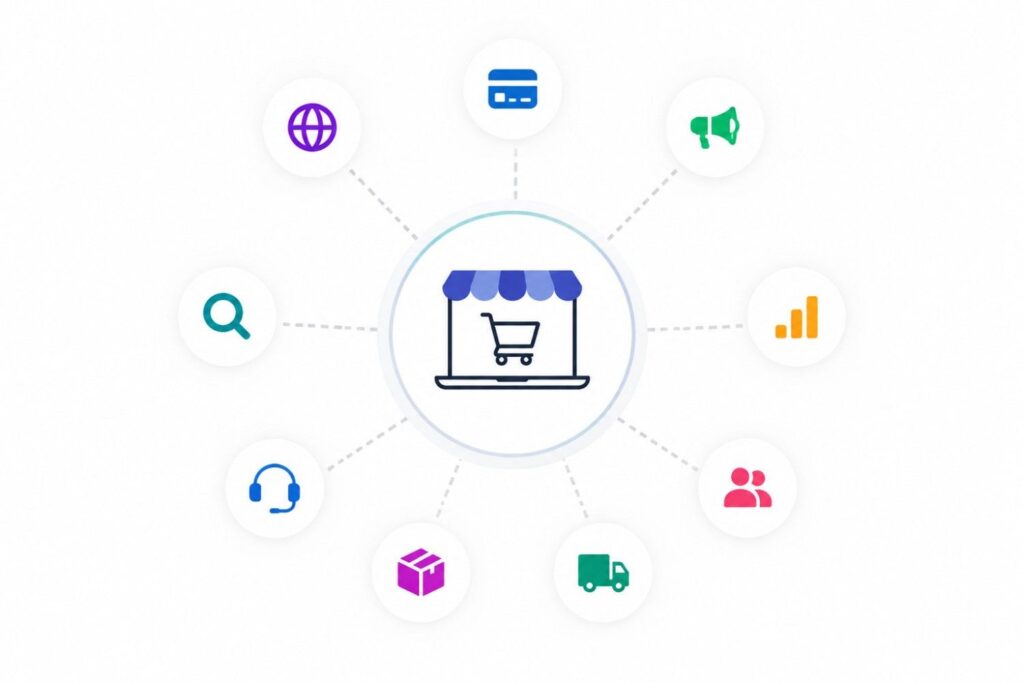
E-commerce tools are software applications designed to help businesses build, manage, market, optimize, and grow an online store. Each tool focuses on solving a specific business problem. Some help you design your website, while others process payments, improve your Google rankings, automate marketing, or provide customer support.
Think of an online store as a complete business rather than just a website. Every business has different departments, and each department requires specialized software.
For example:
- Your website platform displays products and processes orders.
- A payment gateway securely collects customer payments.
- An SEO tool helps customers find your products through search engines.
- An analytics platform shows which products are performing well.
- An email marketing platform helps bring customers back to your store.
- A shipping solution prints labels and tracks deliveries.
- Customer support software manages conversations after a purchase.
None of these tools replace one another. Instead, they work together to create a seamless shopping experience from the moment a customer discovers your business until long after the product has been delivered.
This is why successful e-commerce brands rarely depend on a single software platform. They build a technology stack where each tool performs a specific role.
Why Do Businesses Use Different E-commerce Tools Instead of One Platform?
Let’s use a simple analogy.
Imagine you’re managing a supermarket.
Would one employee be responsible for stocking shelves, handling billing, managing inventory, assisting customers, ordering new products, cleaning the store, running advertisements, and maintaining financial records?
Probably not.
Each responsibility requires a different person or department because every task involves a different set of skills.
The same principle applies to e-commerce software.
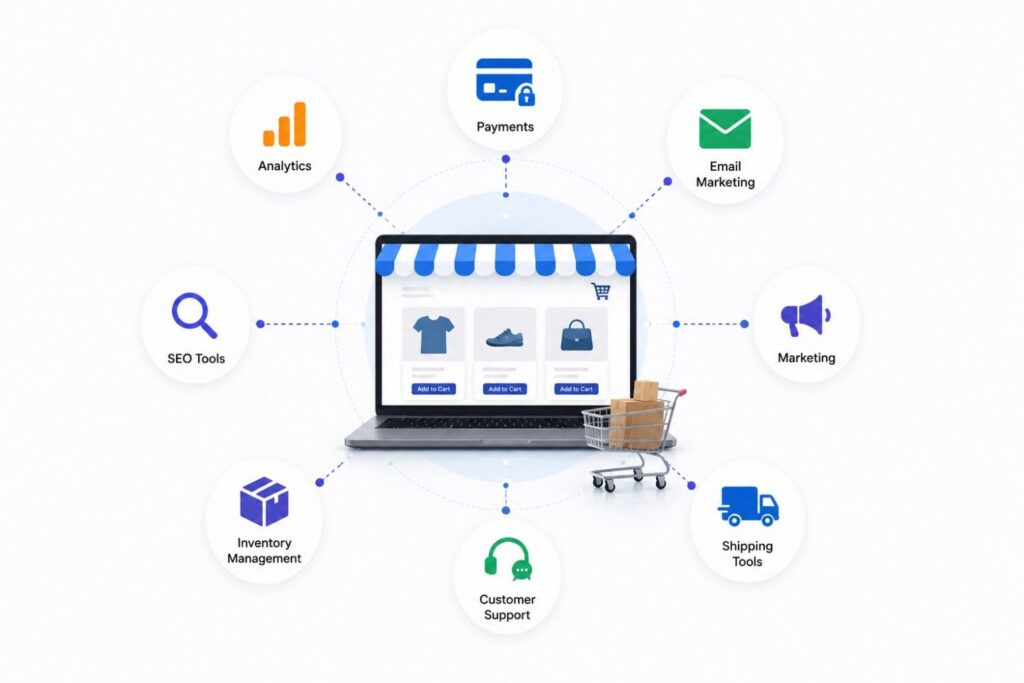
Your online store platform is like the building where your business operates. It gives customers a place to browse and purchase products. However, the platform isn’t necessarily the best solution for email marketing, advanced SEO, shipping automation, or customer relationship management.
For example, Shopify is excellent for building an online store, but many businesses still connect it with tools like Klaviyo for email marketing, Google Analytics 4 for performance tracking, Stripe for payments, ShipStation for shipping, and Zendesk for customer support.
This approach allows businesses to choose the strongest solution for each function instead of relying on one platform to do everything.
Another advantage is scalability.
As your business grows, your needs change. A startup selling ten products may only need a website and a payment gateway. A larger company handling thousands of monthly orders might require warehouse management software, advanced reporting dashboards, AI-powered product recommendations, and marketing automation.
By selecting specialized tools, businesses can gradually expand their technology stack without rebuilding their entire operation.
What Types of E-commerce Tools Does Every Online Business Need?
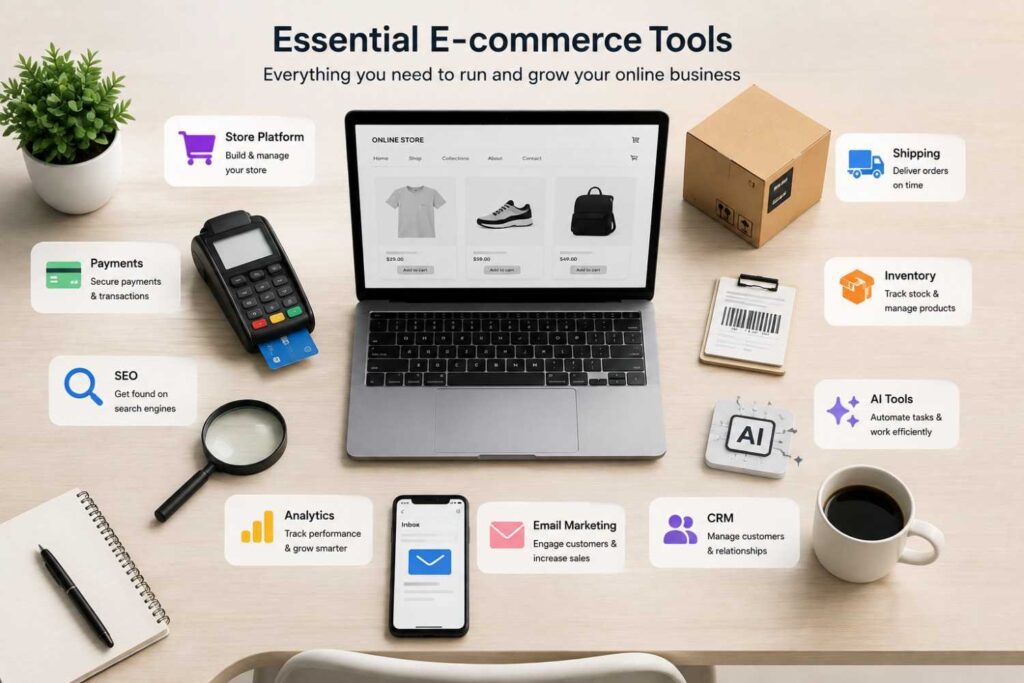
Although there are hundreds of e-commerce tools available today, most of them fall into a few major categories.
Understanding these categories will help you identify which tools are essential for your business and which ones can wait until later.
| Category | Purpose | Popular Examples |
|---|---|---|
| E-commerce Platforms | Build and manage online stores | Shopify, WooCommerce, BigCommerce |
| Payment Gateways | Accept secure online payments | Stripe, PayPal, Razorpay |
| SEO Tools | Improve visibility on search engines | Ahrefs, Semrush, Google Search Console |
| Email Marketing | Engage and retain customers | Klaviyo, Mailchimp, Omnisend |
| CRM Software | Manage customer relationships | HubSpot, Zoho CRM |
| Analytics Tools | Measure website performance | Google Analytics 4, Microsoft Clarity |
| Inventory Management | Track products and stock | Zoho Inventory, Cin7 |
| Shipping Solutions | Manage deliveries and logistics | ShipStation, Shippo |
| Customer Support | Assist shoppers efficiently | Zendesk, Gorgias |
| Marketing Automation | Automate repetitive tasks | Zapier, Make |
| AI Tools | Improve productivity and content creation | ChatGPT, Claude, Gemini |
Think of these categories as different departments within your business.
Not every business needs every tool on day one. However, understanding their purpose helps you make better decisions as your store grows.
Let’s now look at the first and most important category—the e-commerce platform.
Which E-commerce Platform Should You Choose for Your Online Store?
If someone asked me to recommend only one category of e-commerce software that every business needs, my answer would be simple: an e-commerce platform.
This platform serves as the foundation of your online business. It manages your website, product catalog, shopping cart, checkout process, customer accounts, and order management.
Choosing the right platform at the beginning can save you countless hours and prevent expensive migrations later.
But here’s something important to understand:
There isn’t a single “best” e-commerce platform for everyone.
The right choice depends on your technical skills, business size, budget, customization needs, and future growth plans.
Let’s compare the most popular options.
| Platform | Best For | Ease of Use | Customization |
|---|---|---|---|
| Shopify | Beginners and growing businesses | ⭐⭐⭐⭐⭐ | ⭐⭐⭐⭐ |
| WooCommerce | WordPress users | ⭐⭐⭐ | ⭐⭐⭐⭐⭐ |
| BigCommerce | Medium to large businesses | ⭐⭐⭐⭐ | ⭐⭐⭐⭐ |
| Adobe Commerce (Magento) | Enterprise companies | ⭐⭐ | ⭐⭐⭐⭐⭐ |
| Wix eCommerce | Small businesses | ⭐⭐⭐⭐⭐ | ⭐⭐⭐ |
| Squarespace Commerce | Creators and portfolios | ⭐⭐⭐⭐⭐ | ⭐⭐⭐ |
Each platform has its own strengths, so let’s explore them individually.
Why Is Shopify One of the Most Popular E-commerce Platforms?
When students ask me which platform they should learn first, Shopify is often my recommendation.
The biggest reason is simplicity.
You don’t need advanced coding knowledge to build a professional online store. Shopify provides hosting, security, payment integrations, themes, inventory management, and an extensive app marketplace in one place.
It also scales well.
Many businesses begin with just a handful of products and eventually grow into brands processing thousands of monthly orders without needing to change platforms.
Shopify is particularly suitable for:
- New entrepreneurs
- Small and medium-sized businesses
- Dropshipping stores
- D2C (Direct-to-Consumer) brands
- Businesses looking for quick deployment
However, Shopify uses a subscription model, so businesses should also consider ongoing monthly costs alongside app expenses.
When Is WooCommerce a Better Choice Than Shopify?
WooCommerce is an excellent option for businesses already using WordPress.
Unlike Shopify, WooCommerce is an open-source plugin, giving users much greater flexibility and control over their websites.
If you enjoy customizing every aspect of your store or already manage a WordPress website, WooCommerce offers tremendous freedom.
Advantages include:
- No platform subscription fee
- Thousands of WordPress plugins
- Highly customizable
- Excellent for content marketing and SEO
- Large developer community
The trade-off is that you’ll be responsible for hosting, maintenance, security updates, and backups.
For beginners who prefer a managed solution, Shopify usually feels easier. For businesses wanting maximum flexibility, WooCommerce remains one of the strongest choices available.
Which Other E-commerce Platforms Should You Consider?
Although Shopify and WooCommerce dominate much of the market, they’re not the only options.
BigCommerce is designed for businesses expecting rapid growth and higher sales volumes. It includes many advanced features that often require additional apps on other platforms.
Adobe Commerce (formerly Magento) is built for enterprise organizations with complex product catalogs, multiple storefronts, and advanced customization requirements. While incredibly powerful, it usually requires experienced developers to manage.
Wix eCommerce focuses on simplicity. Small businesses, local stores, and entrepreneurs who want to build an attractive website without technical complexity often find it a practical starting point.
Squarespace Commerce combines elegant website design with e-commerce functionality. It’s especially popular among photographers, artists, designers, and creators who prioritize visual presentation alongside online selling.
Rather than asking, “Which platform is the best?”, ask yourself:
- How many products will I sell?
- Do I need advanced customization?
- What’s my monthly budget?
- How comfortable am I with technology?
- How quickly do I expect my business to grow?
Answering these questions will help you choose a platform that fits your current needs while supporting future growth.
Which Payment Gateway Should You Choose for Your Online Store?
Building an attractive online store is only half the job. Customers also need a secure and hassle-free way to complete their purchases. That’s where a payment gateway comes in. It processes online transactions, encrypts payment details, and transfers money safely from the customer to your business.
The right payment gateway depends on where you sell, your preferred payment methods, and your business size. A complicated checkout can increase cart abandonment, while a fast and trusted payment experience can improve conversions.
| Payment Gateway | Best For | Key Features |
|---|---|---|
| Stripe | Global businesses | Cards, wallets, subscriptions |
| PayPal | International sales | Buyer protection, global trust |
| Razorpay | Indian businesses | UPI, cards, wallets, net banking |
| Square | Retail + online | POS and online payments |
| Amazon Pay | Amazon users | Faster checkout |
Before choosing a payment gateway, compare transaction fees, refund options, fraud protection, supported currencies, and integration with your e-commerce platform. The best option is the one that matches your customers’ payment preferences while keeping the checkout process smooth.
Why Is Stripe a Popular Choice for Online Businesses?
Stripe is one of the most widely used payment gateways because it’s flexible, secure, and easy to integrate with major e-commerce platforms. Whether you’re selling physical products, digital downloads, or subscription services, Stripe supports a wide range of payment methods.
It also allows businesses to accept payments in multiple currencies, making it a great option for companies serving international customers.
Stripe is especially suitable for:
- Subscription-based businesses
- SaaS companies
- E-commerce brands with global customers
- Businesses needing advanced payment APIs
While Stripe offers powerful features, businesses should review its transaction fees and availability in their target countries before making a decision.
Which SEO Tools Help E-commerce Stores Rank Higher on Google?
Launching an online store doesn’t automatically bring visitors. If your product pages don’t appear in search results, potential customers may never find them. SEO tools help businesses improve visibility by identifying keywords, monitoring rankings, fixing technical issues, and analyzing competitors.
Here are some of the most popular SEO tools:
| SEO Tool | Best For | Main Feature |
|---|---|---|
| Ahrefs | Competitor research | Backlinks and keywords |
| Semrush | All-in-one SEO | SEO, PPC, content |
| Google Search Console | Free website insights | Search performance |
| Screaming Frog | Technical SEO | Site audits |
| SE Ranking | Small businesses | Rank tracking |
| Moz Pro | Beginners | Keyword research |
Each tool serves a different purpose. Some focus on technical optimization, while others help you create content that matches user search intent. Choosing the right combination depends on your SEO goals and budget.
Why Should Every E-commerce Website Use Google Search Console?
If you’re only going to install one free SEO tool, make it Google Search Console. It provides valuable information directly from Google about how your website performs in search results.
You can use it to monitor keyword rankings, check indexing status, submit XML sitemaps, and identify pages with technical issues.
Google Search Console also helps answer questions like:
- Which product pages receive the most clicks?
- Which keywords drive traffic?
- Are any pages not indexed?
- Does Google detect mobile usability issues?
Because the data comes directly from Google, it’s one of the most reliable tools for monitoring your website’s search performance. Even if you later invest in premium SEO software, Google Search Console should remain part of your toolkit.
Which Email Marketing Tools Help Increase Repeat Sales?
Acquiring a customer is often more expensive than retaining one. That’s why email marketing remains one of the most profitable digital marketing channels for e-commerce businesses.
Email marketing platforms help you automate communication, recover abandoned carts, promote new products, and build stronger customer relationships.
| Tool | Best For | Main Strength |
|---|---|---|
| Klaviyo | Online stores | Advanced automation |
| Mailchimp | Beginners | Easy campaign creation |
| Omnisend | E-commerce | Email + SMS marketing |
| Brevo | Small businesses | Automation and CRM |
| Constant Contact | Local businesses | Simple newsletters |
Instead of sending the same email to everyone, these platforms allow you to segment customers based on purchase history, interests, or browsing behavior. Personalized emails usually generate better engagement and higher conversion rates than generic campaigns.
Why Is Klaviyo Recommended for E-commerce Stores?
Klaviyo is built specifically for e-commerce businesses. Unlike general email marketing platforms, it integrates closely with stores like Shopify and WooCommerce to create personalized customer experiences.
For example, if a customer leaves products in their cart without completing the purchase, Klaviyo can automatically send a reminder email after a few hours. It can also recommend products based on previous purchases or browsing history.
Popular automation workflows include:
- Welcome emails
- Abandoned cart recovery
- Product recommendations
- Birthday offers
- Post-purchase follow-ups
- Win-back campaigns
These automated messages help increase repeat purchases while reducing the need for manual email campaigns.
What Is a CRM Tool and Why Does an Online Store Need One?
A CRM, or Customer Relationship Management system, helps businesses organize customer information in one place. Instead of searching through spreadsheets or email conversations, you can view purchase history, support requests, and customer interactions from a single dashboard.
Popular CRM platforms include:
| CRM Tool | Best For |
|---|---|
| HubSpot CRM | Growing businesses |
| Zoho CRM | Small businesses |
| Salesforce | Large enterprises |
| Pipedrive | Sales teams |
A CRM helps businesses understand their customers better. For example, you can identify loyal buyers, track leads, personalize marketing campaigns, and improve customer service.
As your customer base grows, managing relationships manually becomes difficult. A CRM makes it easier to provide consistent and personalized experiences.
Which Customer Support Tools Improve the Shopping Experience?
Good customer support builds trust and encourages repeat purchases. If shoppers can’t quickly get answers about deliveries, returns, or product details, they may decide to buy elsewhere.
Customer support platforms bring conversations from multiple channels into one place, making it easier for support teams to respond efficiently.
| Tool | Best For | Main Feature |
|---|---|---|
| Zendesk | Large teams | Ticket management |
| Freshdesk | Growing businesses | Omnichannel support |
| Gorgias | Shopify stores | E-commerce integration |
| Intercom | AI-powered support | Live chat and bots |
| Tidio | Small businesses | Live chat |
These platforms commonly include:
- Live chat
- AI chatbots
- Email support
- Ticket management
- Help centers
- Social media messaging
Fast and organized support improves customer satisfaction, reduces response times, and strengthens long-term relationships with buyers.
Which Analytics Tools Help You Measure the Success of Your Online Store?
Launching an online store is only the beginning. To grow consistently, you need to understand how visitors interact with your website. Analytics tools help you measure traffic, conversions, customer behavior, and sales performance, allowing you to make data-driven decisions instead of relying on assumptions.
Here are some of the most popular analytics tools used by e-commerce businesses.
| Analytics Tool | Best For | Main Feature |
|---|---|---|
| Google Analytics 4 | Website performance | Traffic and conversions |
| Microsoft Clarity | User behavior | Heatmaps and session recordings |
| Hotjar | UX optimization | Heatmaps and surveys |
| Looker Studio | Reporting | Interactive dashboards |
| Mixpanel | Product analytics | User journey tracking |
Whether you’re running a small online store or managing thousands of monthly orders, analytics tools help you identify what’s working, what needs improvement, and where new opportunities exist.
Why Is Google Analytics 4 Essential for Every E-commerce Website?
Google Analytics 4 (GA4) is one of the first tools you should install after launching your online store. It tracks how visitors find your website, which pages they visit, how long they stay, and whether they complete important actions such as making a purchase.
Some valuable insights GA4 provides include:
- Number of website visitors
- Traffic sources
- Best-performing products
- Conversion rate
- Revenue generated
- Device and location reports
For example, imagine your Google Ads campaign receives thousands of clicks but only a few sales. GA4 can help identify where customers leave the buying journey, allowing you to improve the experience and increase conversions.
Rather than simply counting visitors, GA4 helps you understand customer behavior and make smarter marketing decisions.
How Do Heatmap Tools Help Improve User Experience?
Numbers tell you what is happening, but heatmap tools show why it’s happening.
Platforms like Microsoft Clarity and Hotjar record anonymous user sessions and create visual heatmaps that reveal where visitors click, scroll, and spend the most time on your website.
These tools help answer questions such as:
- Are visitors clicking the “Add to Cart” button?
- Which sections of the page attract attention?
- Where do users stop scrolling?
- Are customers getting confused during checkout?
By watching real user behavior, businesses can improve page layouts, simplify navigation, and increase conversions without guessing what customers want.
Even small design improvements can have a noticeable impact on sales when supported by user behavior data.
Which Inventory Management Tools Help You Stay Organized?
Imagine receiving ten orders for a product that’s actually out of stock.
Not only does this disappoint customers, but it also damages your brand’s reputation.
Inventory management tools help businesses track stock levels, monitor product availability, manage warehouses, and automate inventory updates across multiple sales channels.
| Inventory Tool | Best For | Main Feature |
|---|---|---|
| Zoho Inventory | Small businesses | Stock management |
| Cin7 | Growing businesses | Multi-channel inventory |
| Linnworks | Large sellers | Inventory automation |
| Brightpearl | Retail brands | Inventory and operations |
These tools reduce manual work and help prevent common issues like overselling, stock shortages, and inventory mismatches.
If your business sells products on multiple platforms, inventory management software becomes even more valuable.
Why Is Inventory Management Important for Growing Businesses?
Many new businesses manage inventory using spreadsheets. While this may work initially, it quickly becomes difficult as product catalogs and order volumes grow.
Inventory management software automatically updates stock whenever a sale is made, helping businesses maintain accurate inventory levels across different marketplaces.
Additional benefits include:
- Low-stock alerts
- Barcode management
- Purchase order tracking
- Warehouse organization
- Product performance reports
Accurate inventory management improves customer satisfaction because shoppers are less likely to order unavailable products. It also helps businesses avoid unnecessary storage costs and make better purchasing decisions.
As sales increase, inventory software becomes less of a convenience and more of a necessity.
Which Shipping Tools Simplify Order Fulfillment?
Shipping is one of the final steps in the customer journey, but it has a major influence on customer satisfaction.
After a customer places an order, they expect timely delivery and regular tracking updates. Shipping software automates much of this process, saving businesses time while improving accuracy.
Here are some popular shipping tools.
| Shipping Tool | Best For | Main Feature |
|---|---|---|
| ShipStation | Online stores | Shipping automation |
| Shippo | Small businesses | Multi-carrier shipping |
| Easyship | International shipping | Global courier network |
| AfterShip | Tracking | Shipment tracking |
These platforms connect with your e-commerce store and automatically generate shipping labels, compare courier rates, and provide customers with tracking information.
A smooth delivery experience increases customer trust and encourages repeat purchases.
How Do Shipping Tools Improve Customer Satisfaction?
Think about the last time you ordered something online.
One of the first things you probably checked was the tracking status.
Shipping tools automate tracking updates so customers always know where their orders are. Many platforms also send email or SMS notifications whenever an order is packed, shipped, or delivered.
Additional benefits include:
- Faster label creation
- Automatic courier selection
- Return management
- Shipping cost comparisons
- Delivery tracking
By reducing manual work and improving communication, shipping software creates a better experience for both businesses and customers.
Which AI Tools Are Transforming Modern E-commerce?
Artificial intelligence is no longer limited to large enterprises. Today, businesses of all sizes use AI to improve productivity, create content, and deliver better customer experiences.
Some of the most popular AI tools include:
| AI Tool | Common Use |
|---|---|
| ChatGPT | Product descriptions, customer support |
| Claude | Writing and research |
| Gemini | Content generation |
| Jasper | Marketing copy |
| Canva AI | Social media graphics |
| Adobe Firefly | Product image creation |
Instead of replacing human creativity, these tools help businesses complete repetitive tasks more efficiently. For example, AI can generate product descriptions, write marketing emails, create ad copy, or answer common customer questions.
Used responsibly, AI allows teams to focus more on strategy and less on routine work.
How Can AI Improve an Online Store Without Replacing Human Creativity?
One question I often hear is, “Will AI manage my entire online store?”
The answer is no.
AI works best as an assistant rather than a replacement. It helps speed up repetitive tasks while humans make the important business decisions.
For example, AI can help you:
- Write product descriptions
- Generate SEO-friendly content
- Suggest email subject lines
- Create advertising copy
- Translate product listings
- Summarize customer reviews
However, businesses should always review AI-generated content before publishing it. Human expertise is still essential for maintaining accuracy, brand voice, and customer trust.
Which Marketing Automation Tools Save the Most Time?
As your business grows, repetitive tasks begin to consume valuable time. Marketing automation tools help businesses connect different applications and automate everyday workflows.
Some popular automation platforms include:
| Automation Tool | Best For |
|---|---|
| Zapier | No-code automation |
| Make | Advanced workflows |
| HubSpot | Marketing automation |
| ActiveCampaign | Customer journeys |
These tools can automatically:
- Send welcome emails
- Update CRM records
- Notify customers about orders
- Sync data between apps
- Assign leads to sales teams
Automation reduces manual work, minimizes errors, and allows businesses to focus on growth rather than repetitive administrative tasks.
How Do All These E-commerce Tools Work Together?
Rather than thinking of each tool separately, it’s helpful to see how they work together during a customer’s buying journey.
A typical workflow looks like this:
- A customer discovers your store through Google Search or an advertisement.
- They visit your Shopify or WooCommerce website.
- Google Analytics 4 tracks their activity.
- They complete payment through Stripe or Razorpay.
- Inventory software updates stock automatically.
- Shipping software creates a shipping label and tracking number.
- Klaviyo sends an order confirmation email.
- Zendesk manages customer support if assistance is needed.
- Analytics tools measure the entire journey and identify opportunities for improvement.
This connected ecosystem allows businesses to deliver a smooth shopping experience while reducing manual effort.
What Is the Best E-commerce Tool Stack for Beginners?
If you’re starting your first online business, avoid subscribing to dozens of tools immediately. Begin with the essentials and expand as your business grows.
| Business Need | Recommended Tool |
|---|---|
| Website | Shopify |
| Payments | Razorpay or Stripe |
| SEO | Google Search Console |
| Analytics | Google Analytics 4 |
| Email Marketing | Klaviyo |
| Customer Support | Tidio |
| Inventory | Zoho Inventory |
| Shipping | Shippo |
| AI Assistant | ChatGPT |
This combination covers the core functions of running an online store without creating unnecessary complexity.
What Mistakes Should You Avoid When Choosing E-commerce Tools?
Choosing the wrong software can increase costs and reduce efficiency. Before investing in any tool, avoid these common mistakes:
- Buying expensive software before it’s needed.
- Choosing tools because they’re popular rather than useful.
- Ignoring integration with your existing platform.
- Overlooking customer support and documentation.
- Using multiple tools that perform the same task.
- Failing to train your team properly.
The best e-commerce tool isn’t always the one with the most features—it’s the one that solves your business problem effectively.
Which E-commerce Tools Should Digital Marketing Students Learn First?
If you’re preparing for a career in digital marketing or e-commerce, focus on learning tools that employers use every day.
A practical learning path includes:
- Shopify or WooCommerce
- Google Analytics 4
- Google Search Console
- Ahrefs or Semrush
- Google Ads
- Meta Ads Manager
- Klaviyo
- ChatGPT
- Canva
- Zapier
Learning how these tools work together is far more valuable than simply knowing their names. Employers look for candidates who can use multiple tools to solve real business challenges.
Where Can You Learn E-commerce Tools Through Practical Experience?
Reading articles and watching tutorials can help you understand how e-commerce tools work, but practical experience is what builds confidence.
The most effective way to learn is by working on real projects. This includes creating an online store, optimizing product pages for SEO, tracking performance with Google Analytics 4, running advertising campaigns, setting up email automation, and using AI tools to improve productivity.
At GICT, students gain hands-on experience with many of the tools used by modern e-commerce businesses. Instead of learning each platform in isolation, they understand how website builders, analytics platforms, SEO software, marketing tools, payment gateways, and AI applications work together to support an online business from start to finish.
Frequently Asked Questions
Shopify is a popular choice because it's easy to set up, beginner-friendly, and supports a wide range of integrations.
Yes. Tools like Google Search Console, Google Analytics 4, and Canva offer free versions that are suitable for many beginners.
Google Search Console is essential for every website, while Ahrefs and Semrush provide advanced features for keyword research and competitor analysis.
No. AI complements ecommerce tools by helping with tasks like content creation, customer support, and marketing, but it doesn't replace core platforms such as Shopify, payment gateways, or analytics software.
Most small businesses can start with 6–8 essential tools covering website management, payments, SEO, analytics, email marketing, shipping, and customer support. Additional tools can be added as the business grows.