Why Do Your Videos Look Flat? The Secret to Better Colour
A video can have good camera quality, sharp footage, and professional editing but still look dull or unfinished. This is where colour correction becomes important. It helps fix exposure, white balance, contrast, shadows, highlights, and saturation so your footage looks more natural and balanced. Whether you are editing YouTube videos, Instagram Reels, advertisements, or professional projects, understanding how colour works can make a noticeable difference in the final result.
What Is Colour Correction?
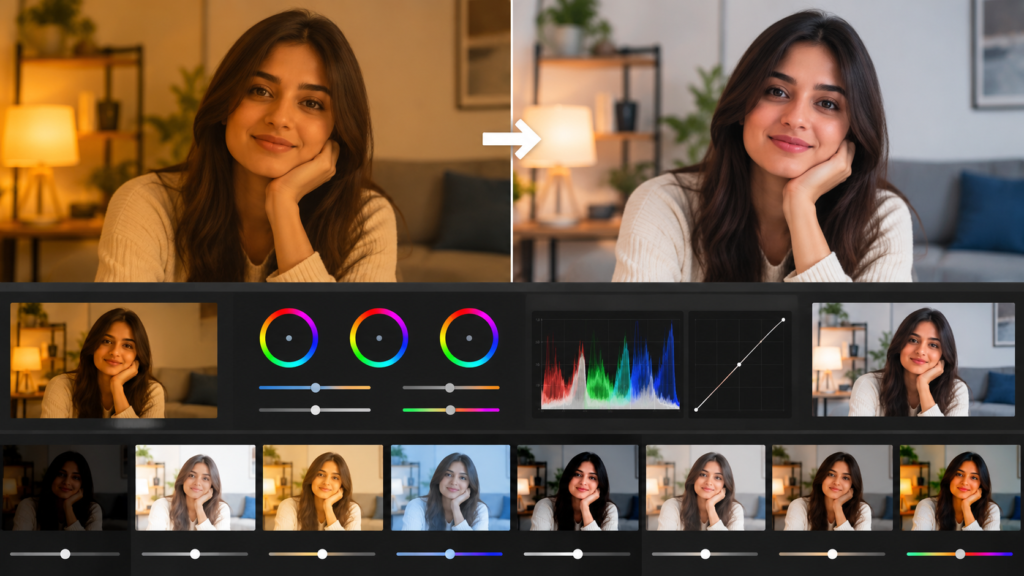
Understanding Colour Correction in Video Editing
Colour correction is the process of adjusting video footage to fix technical and visual inconsistencies. It focuses on elements such as exposure, brightness, white balance, contrast, shadows, highlights, and saturation. The purpose is to make the footage look balanced and natural before applying any creative visual style. For example, footage recorded under indoor lighting may appear too yellow. Outdoor footage might look too blue or have inconsistent exposure. These issues can be corrected during the editing process.
Colour Correction vs. Colour Grading
Colour correction and colour grading are often confused, but they have different purposes. Correction focuses on fixing the footage. Grading focuses on creating a visual style or mood. An editor may first correct the footage and then apply a cinematic, warm, cool, dramatic, or vintage look through grading.
Why Colour Correction Matters in Video Production
Good video production is not only about recording high-resolution footage. The final appearance of a video also depends on how consistently the footage is edited. If different clips have different brightness or colour temperatures, the video can feel disconnected. A consistent colour workflow helps create a more professional viewing experience.
Why Do Videos Look Flat or Dull?
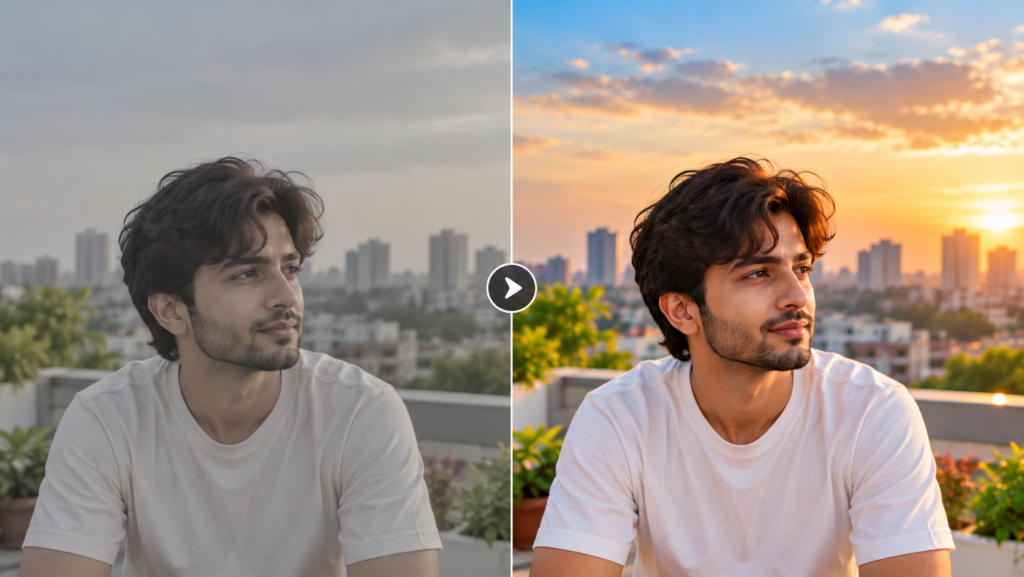
Poor Exposure and Incorrect White Balance
Exposure determines how bright or dark your footage appears. Underexposed footage can hide important details in shadows, while overexposed footage may lose detail in bright areas. Incorrect white balance can also create unwanted blue, yellow, or orange tones. These problems can make otherwise good footage look unprofessional.
Lack of Contrast and Colour Balance
Contrast creates separation between light and dark areas. When footage has very little contrast, it can look washed out or flat. However, too much contrast can make shadows extremely dark and highlights excessively bright. The goal is to find a balanced middle ground.
How Lighting Affects Your Video
Lighting has a direct impact on the final appearance of your footage. Different light sources have different colour temperatures. Natural daylight, LED lights, fluorescent lights, and tungsten lights can all produce different results. Good lighting makes post-production easier because the editor has cleaner footage to work with.
What Are the Main Steps of Colour Correction?
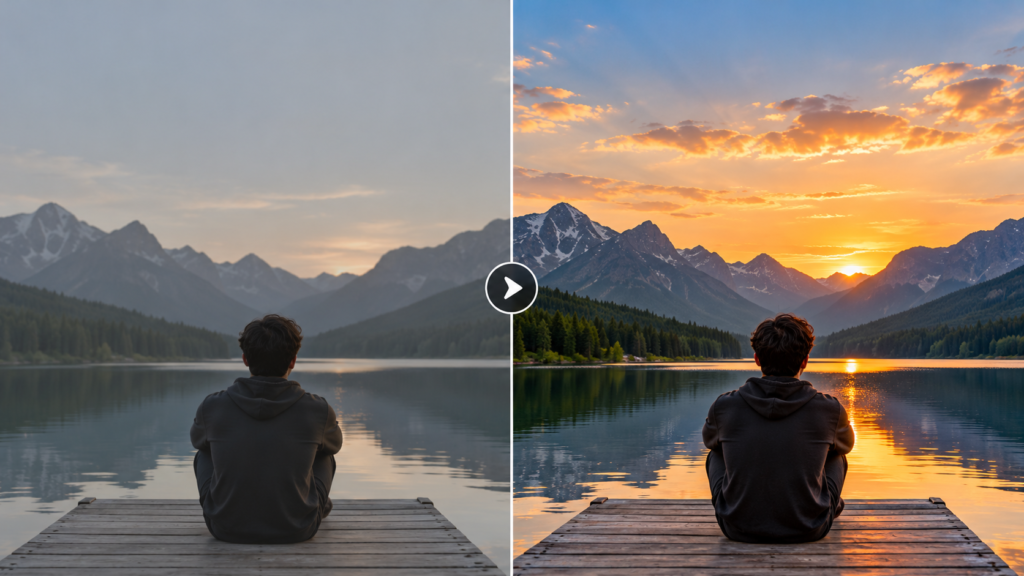
Correcting Exposure and Brightness
Start by checking whether the footage is properly exposed. Adjust the exposure or brightness carefully while protecting important details. Do not simply increase brightness to make a dark clip look better. Look at both the brightest and darkest parts of the frame.
Adjusting White Balance
White balance helps remove unwanted colour casts. If a video looks too blue, the temperature may need to be adjusted toward warmer tones. If it looks too yellow or orange, a cooler adjustment may be required. Correct white balance is especially important when people are visible in the frame.
Balancing Contrast
Contrast affects the overall depth of your footage. Increasing contrast slightly can make an image appear clearer and more defined. However, excessive contrast can make the footage look harsh. Always check whether important details remain visible.
Adjusting Shadows, Midtones, and Highlights
Professional editing gives you control over different tonal ranges. Shadows affect the darker areas. Midtones affect the middle range of the image. Highlights affect the brighter areas. Adjusting these separately gives you more control than changing the entire image at once.
Improving Saturation and Skin Tones
Saturation controls the intensity of colours. Increasing it slightly can make footage more vibrant. However, pushing saturation too far can create unnatural colours. Skin tones deserve additional attention because viewers quickly notice unnatural faces.
How Does Color Correction Improve Video Quality?
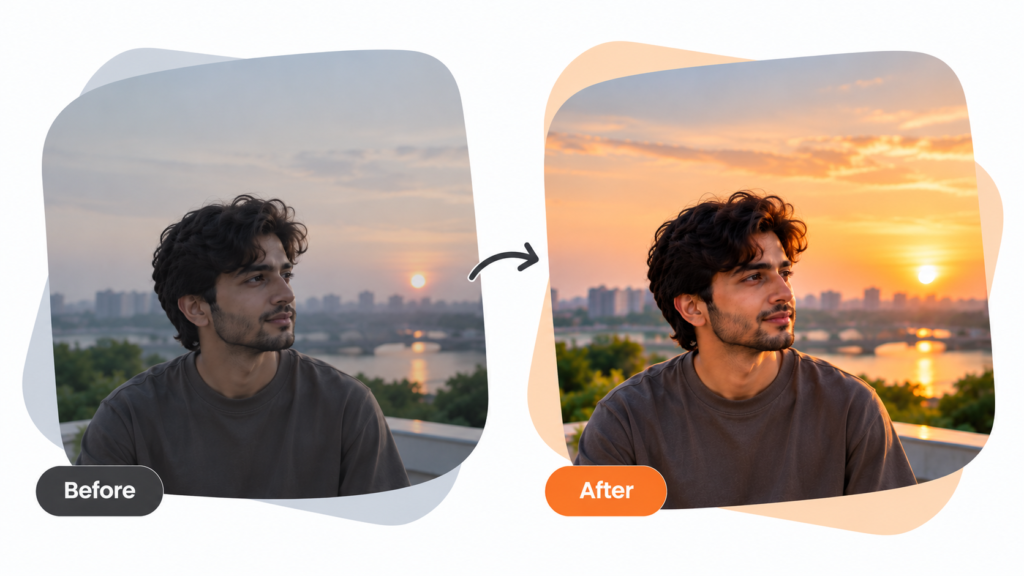
Makes Footage Look More Natural
Balanced footage feels closer to what the human eye expects to see. Natural colours also prevent technical problems from distracting viewers.
Creates Consistency Between Different Clips
Imagine an interview where one shot looks warm and another looks blue. Even if both shots are technically good, the difference can be distracting. Consistent adjustments help different clips work together as one sequence.
Improves Skin Tones
Skin tones are one of the most important aspects of people-focused video. Small changes in temperature, tint, saturation, and exposure can make faces appear much more natural.
Makes Videos Look More Professional
Professional appearance often comes from small details.Balanced colours, consistent exposure, clean transitions, good audio, and controlled contrast all contribute to the final quality.
Creates a Stronger Visual Impact
When technical distractions are reduced, viewers can concentrate on the story and message. This is particularly useful for advertisements, social media videos, brand content, and promotional campaigns.
What Tools Are Used for Colour Correction?
Adobe Premiere Pro
Adobe Premiere Pro is widely used for professional video editing. Its Lumetri Colour tools provide controls for exposure, contrast, temperature, tint, saturation, curves, and other adjustments.
Adobe After Effects
Adobe After Effects is primarily used for motion graphics and visual effects.However, it also includes tools that can be used to manipulate colours and create specific visual effects.
Final Cut Pro
Final Cut Pro is another popular editing solution, particularly among Mac users. It provides colour wheels, curves, saturation controls, and other tools for adjusting footage.
What Is the Difference Between Colour Correction and Colour Grading?
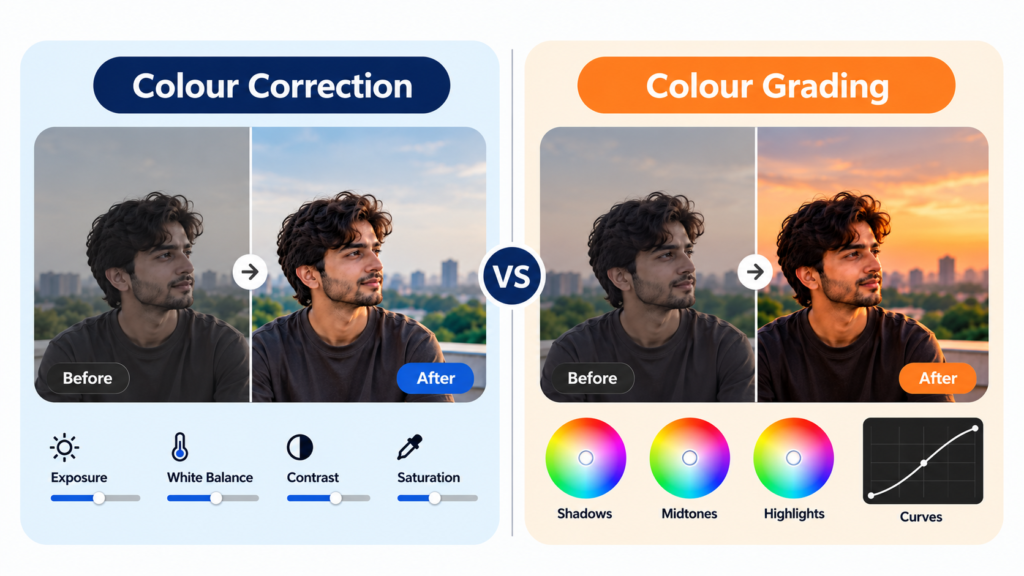
What Does Colour Correction Do?
Correction fixes technical problems in the footage. It can improve exposure, white balance, contrast, saturation, and consistency between shots. The goal is a balanced image.
What Does Colour Grading Do?
Grading is more creative. An editor may use grading to give footage a particular mood. For example, warm tones can create a comfortable or nostalgic feeling, while cooler tones can create a serious or dramatic atmosphere.
Why Should You Use Color Correction Before Colour Grading?
Starting with balanced footage gives you a stronger foundation. If exposure or white balance is already incorrect, creative grading can make those problems more obvious. A common workflow is:
Correct → Balance → Match → Grade → Final Check
How Can Beginners Learn Colour Correction?
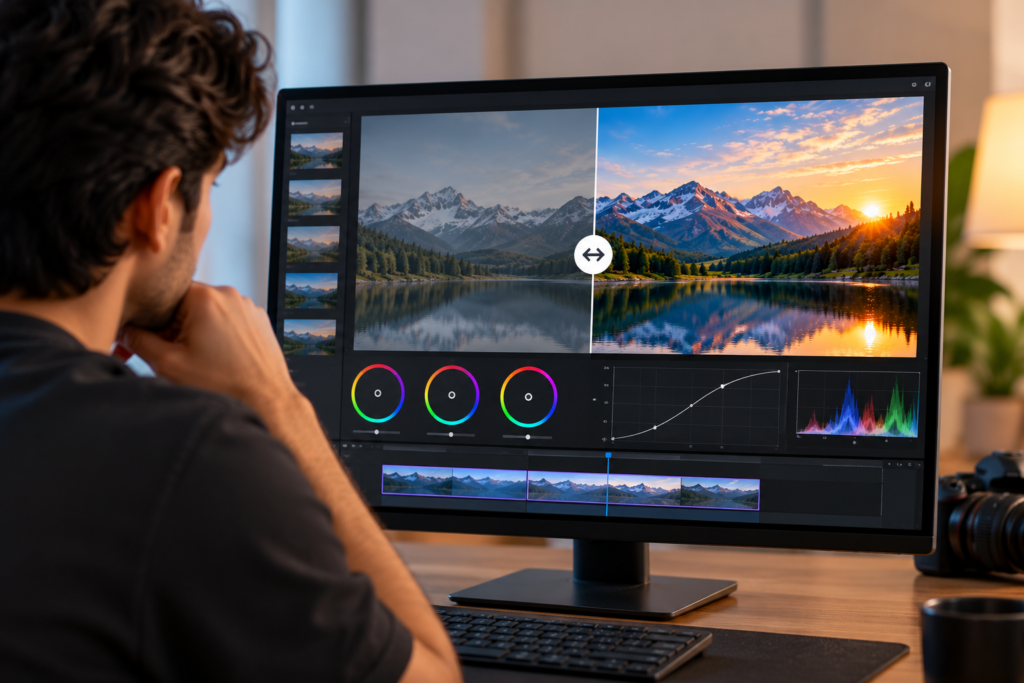
Start With Basic Colour Correction Techniques
Beginners should first understand exposure, white balance, contrast, shadows, highlights, and saturation. There is no need to learn every advanced feature immediately. Strong fundamentals are more valuable than knowing dozens of tools without understanding how they work.
Learn to Use Colour Scopes
Colour scopes can make editing more precise. A waveform can help evaluate brightness. An RGB parade can help identify differences between colour channels. A vector scope can provide useful information about colour and saturation. Learning these tools can help editors make decisions based on measurable information instead of relying only on their monitor.
Practice With Different Types of Footage
Practice with different footage conditions.
Try editing:
- Indoor interviews
- Outdoor videos
- Product footage
- Low-light clips
- Talking-head videos
- Social media content
- Mixed-lighting footage
Each type teaches you something different.
Develop an Eye for Colour and Exposure
Technical knowledge is important, but visual judgement develops through practice. Compare your corrected footage with the original. Ask yourself whether the colours look natural and whether important details are still visible. With repeated practice, these decisions become faster and more intuitive.
Common Color Correction Mistakes to Avoid
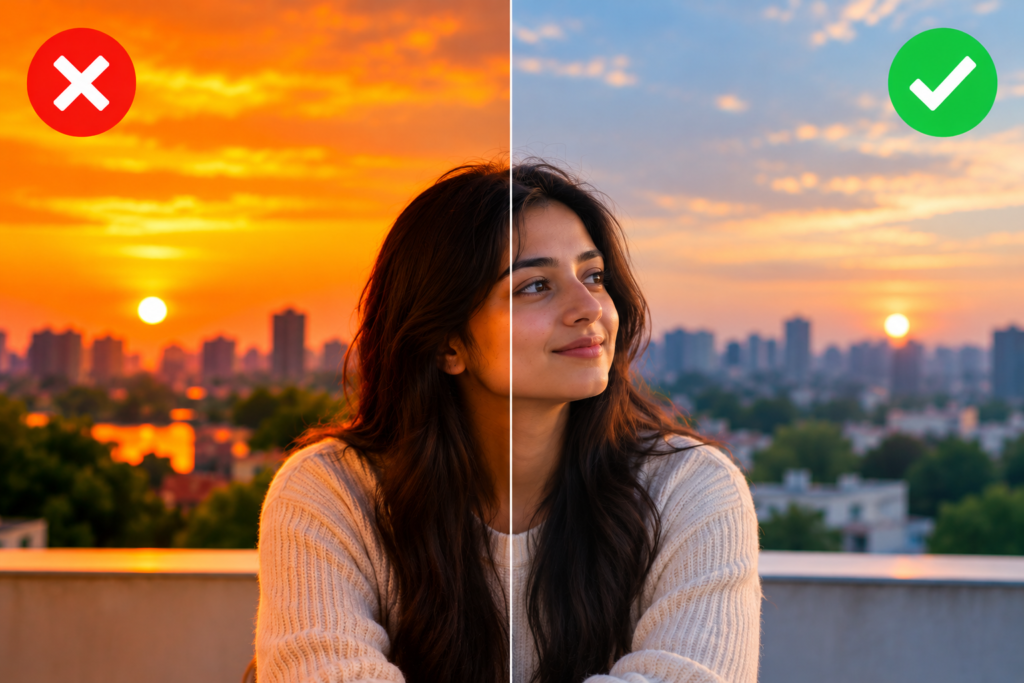
Over-Saturating Your Footage
More colour does not always mean better colour. Excessive saturation can make skin, buildings, grass, and other objects look unrealistic. Subtle adjustments generally create a cleaner result.
Making Skin Tones Look Unnatural
Faces should receive special attention.
Overly orange, red, yellow, green, or pale skin can immediately make footage appear artificial.
Ignoring White Balance
Incorrect white balance can affect the entire frame. Even if exposure and contrast are good, an unwanted colour cast can still make the footage look wrong.
Using Excessive Contrast
Strong contrast can look impressive for certain styles, but pushing it too far can remove shadow and highlight detail. Always check whether the image still contains useful information.
Applying the Same Settings to Every Clip
A camera angle facing a window may require completely different adjustments from a shot recorded indoors. Instead of blindly copying settings, evaluate each clip individually.
Why Is Colour Correction an Important Video Editing Skill?
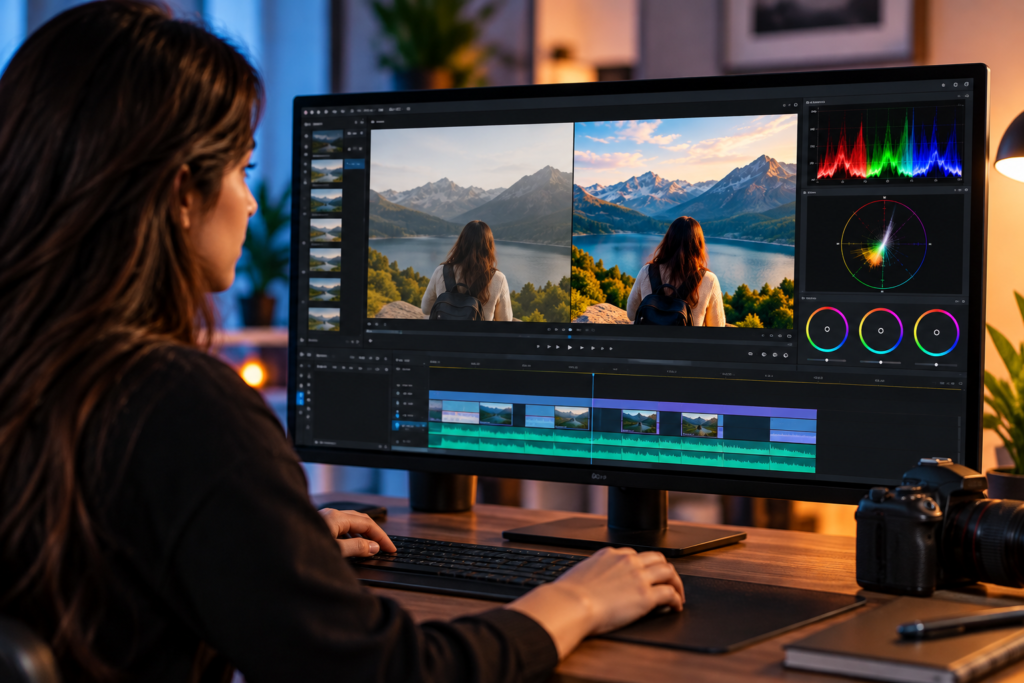
Build Professional Video Editing Skills
Modern video editors need more than basic cutting and transitions. Understanding exposure, colour, contrast, and visual consistency can make your editing workflow more professional.
Improve the Quality of Social Media Content
Social media is highly visual. Creators, businesses, influencers, and marketers use video to communicate with audiences every day. Better-looking footage can improve the overall presentation of that content.
Create More Engaging Videos
Good visuals help viewers focus on the content. When footage has distracting colour or exposure problems, the audience may notice the technical issue instead of the message
Prepare for Creative Industry Opportunities
Video editing skills can be useful in multiple industries.
These include:
- Digital marketing
- Advertising
- Social media
- Film production
- YouTube content
- Corporate communication
- Brand marketing
- Content creation
Developing practical skills can therefore give aspiring editors more flexibility when exploring creative career opportunities.
Learn Video Editing and Colour Correction at GICT
Learning video editing becomes much more effective when you work with professional tools instead of relying only on theory. At GICT, learners can gain practical exposure to video editing, colour correction, transitions, effects, audio editing, and complete post-production workflows.
Through practical projects, students can work with real footage and understand how professional video production works from raw clips to the final output. This hands-on approach can help build confidence, creativity, and job-ready skills for opportunities in content creation, social media, advertising, and other creative industries.
Conclusion: Give Your Videos a More Professional Look With Colour Correction
Flat-looking footage does not always mean your camera or editing software is the problem; often, the difference comes from how the footage is balanced during post-production. By understanding exposure, white balance, contrast, shadows, highlights, saturation, and scopes, you can gain better control over your final video. The key is to make controlled and intentional adjustments rather than pushing every setting too far. With regular practice and hands-on experience, you can develop the skills needed to create natural, polished, and professional-looking videos. For aspiring editors, practical training at GICT can help build confidence with professional video editing workflows and prepare you for real-world creative projects.
FAQs
It is the process of adjusting the technical appearance of footage. This includes elements such as exposure, white balance, contrast, shadows, highlights, and saturation.
The fundamentals are relatively easy to learn. Beginners can start with exposure, white balance, contrast, and saturation before progressing to advanced workflows.
Colour correction focuses on fixing and balancing footage, while colour grading focuses on creating a particular visual style, mood, or cinematic appearance.
Basic techniques can be learnt relatively quickly. Developing professional judgement requires consistent practice with different types of footage and lighting conditions.
Yes. Correct exposure, accurate white balance, natural skin tones, balanced contrast, and consistency between clips can significantly improve the overall appearance of a video.