From Class to Career: The Smart Way to Learn Computer Skills
Introduction
Learn computer skills for career growth because computer skills are now essential in a technology-driven world. These skills range from basic digital literacy to advanced technical knowledge gained through formal education or training. Moreover, the ability to work with computers can determine employment opportunities for students, graduates, and professionals looking to upskill. Computer skills open doors to high-demand and high-paying roles in today’s job market. However, learning can feel challenging without a clear plan. Therefore, it is important to decide what to learn, where to learn it, and how to turn that knowledge into practical, job-ready skills.
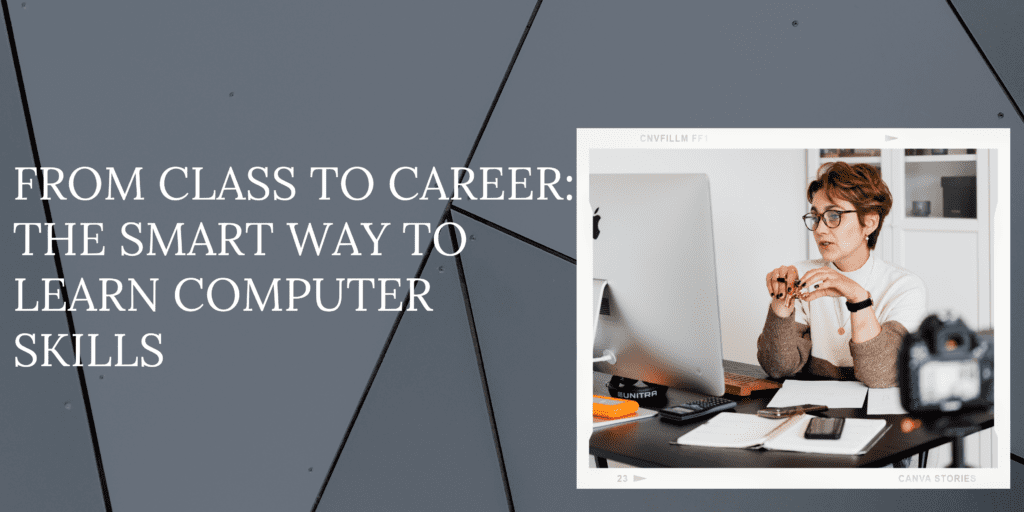
This blog will guide you on the smartest way to learn and transition into work by helping you learn computer skills for career growth effectively. Moreover, it covers everything from choosing the right courses and platforms to applying your knowledge through real-world projects and internships. Whether you are a beginner, looking to upgrade your skills, or aiming to build industry connections, this guide supports your journey.
Additionally, the blog takes you from basic concepts to continuous improvement through a focused learning approach. As a result, you will not only become job-ready but also future-ready in the evolving digital world.
1. Understanding the Importance of Computer Skills in the Modern World
Learn computer skills for career growth because they are essential across education, business, and communication today. From writing documents and analyzing data to building websites and attending video calls, digital literacy supports almost every task. Moreover, every industry—healthcare, finance, education, and entertainment—relies on technology at multiple levels.
As a result, employers now value candidates who can quickly learn new tools, solve technical problems, and adapt to evolving technologies. Therefore, having strong computer skills often matters as much as, or even more than, traditional experience.
Digital literacy typically begins with basic computer skills for word processing, spreadsheet creation, and email communication, but as jobs change and evolve, these employers expect candidates to have an understanding of more complex computer-based work, such as coding, data analysis, cloud computing, cybersecurity, and digital marketing. Having these skills will make you more competitive, more efficient, and far more adaptable in a workforce that is always changing.
Computer skills matter beyond just employment.; they improve your ability to be a self-directed learner, your accessibility to fast information, your time management, and your networking capacity, all of which translate into being engaged in a digital based world. With an awareness of everything we just covered, you have taken the first step in prioritizing computer skills for your learning journey.
2. Choosing the Right Computer Courses for Your Career Goals
Choosing a computer course can define your entire career. It is ideal to align your interests and vision with the appropriate learning pathway. For example, if you are on the path to become a data analyst, you should study Excel, Python, SQL, and Tableau; for web developers, they might study HTML, CSS, JavaScript, React; and for designers, they may study Adobe Photoshop, Illustrator, or Figma.
Begin by determining your longer-term and broader goals. Are you looking for a job in tech, are you looking to become more productive, or are you trying to change careers? Your objectives will determine which pathway you should develop. Once you determine your goal, try to research job descriptions to identify the most demanded skills for your new role add those skills to your development. Once you have determined your next steps, you should look for courses that offer theory but give you structure, assessments and assignments along the way.
You can choose reputable online education platforms like Coursera, edX, Udemy, and LinkedIn Learning or take certification courses with companies such as Google, Microsoft, and AWS. These may offer short and long learning paths for beginner to advanced levels, and a pathway for you to scale your skills and knowledge over time. When choosing your courses, you should be sure to choose one that lines up well with your knowledge base and career goals. Taking time to choose thoughtfully before you begin studying will ensure that your learning journey will be applicable and impactful and it will give you a head start against other job applicants.
3. Learning Platforms: Online vs Offline – What Works Best?
Deciding whether to learn online or offline depends on your learning style, schedule, and goals. To learn computer skills for career growth, many learners choose online platforms for flexibility and convenience. Moreover, platforms like Coursera, edX, Udemy, and Skillshare offer affordable courses across various skills.
Additionally, online learning allows you to study at your own pace, revisit lessons, and access global instructors. Therefore, it is especially suitable for self-motivated learners or professionals balancing work and education.
Offline or classroom learning offers structure, people to interact with and immediate feedback. The institutions offering courses will often provide access to labs hands-on experience, and mentorship which can all be valuable to beginners. It is also great for learners in need of discipline, and need a scheduled time and place to study.
Blended learning is a great way to combine the best of both methods. You could for example attend a course on the weekend and add some online tutorials and exercises to supplement your learning. No matter how you choose to learn, make sure the course material is relevant to the industry, hands-on or practical and up to date.
Ultimately the goal is to build your skill set and confidence, using the learning environment that works with your lifestyle while ensuring the content prepares you for real world scenarios. The smart learner will adapt their learning method, not just the learning material.
4. Building a Strong Foundation: Start with the Basics
To learn computer skills for career growth, it is essential to start with the basics before moving to advanced tools or coding. Firstly, focus on understanding how to operate a computer—using a keyboard and mouse, navigating an operating system like Windows or macOS, and managing files and folders.
Moreover, these foundational skills may seem simple, but they are crucial for efficiency in any digital task. Therefore, building a strong base ensures you can confidently progress to more advanced technologies and software.
The second step is to become comfortable with the commonly used applications— Microsoft Word, Excel, PowerPoint and Google Workspace. These applications will be used in almost every office; knowing how to use these applications effectively is a minimum job requirement for most employment options. You need to know how to develop, format and edit documents, create spreadsheets, develop presentations, and manage and analyze data.
It is also pertinent to learn how to browse the web safely, manage your email professionally, and back up your files and data. Cybersecurity literacy is now considered to be the understanding of phishing emails and how to create strong passwords—which are just as important as learning about how to utilize the tech itself.
Mastering the basics builds confidence and helps guide your learning experience with advanced tools. Skipping the basics leaves you with holes in your learning process which slow you down later. Think of it this way— before you build anything substantial, you need to build the ground floor: without it, nothing is going to be structurally sound.
5. Practice Makes Perfect: Real-World Projects and Internships
It’s highly unlikely that theoretical knowledge will get you very far if you don’t get the opportunity to put it to use. After completing a course the next step should be practicing the skills you learned by completing projects and internships. Building websites, analyzing datasets, creating presentations, or developing graphics gives you deeper insight into how you might work in the future.
Most online courses also have capstone projects or case studies to complete—take advantage of these opportunities. You can also find freelance gigs or volunteer to help develop technology for nonprofits and small local businesses. All of these experiences improve your portfolio and your self-confidence and problem-solving skills.
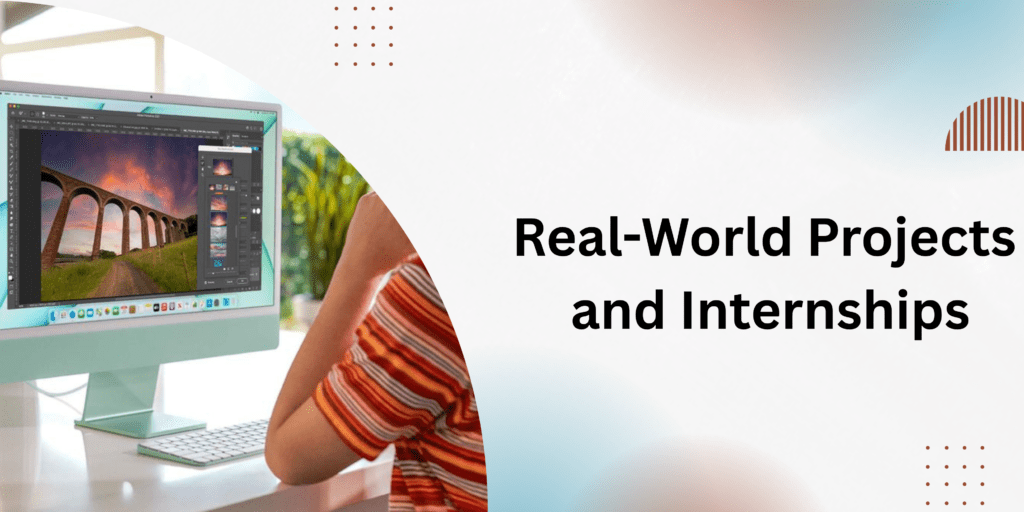
Internships play a crucial role when you learn computer skills for career growth, as they provide real-world experience beyond theoretical learning. Firstly, they help you understand workplace environments, improve collaboration, and manage time effectively. Moreover, internships expose you to industry tools and software that may not be covered in regular courses.
Additionally, even unpaid internships can lead to valuable connections and future job opportunities. Therefore, gaining practical experience through internships is an important step toward building a successful career.
Always document any work you do and assemble a portfolio. The ability to showcase real projects is going to be much more impressive than to just list the skills you possess. You are providing the employer with the message: “I can do the job.” Theories become experience when you practice them—and experience opens the door to opportunities.
6. Staying Updated: Adapting to New Tools and Technologies
Technology continues to change at a rapid pace, and understanding the latest technologies, trends, and skills is important because you may not be relevant or competitive in a month or even a year. As new tools, platforms, frameworks, practices, and theories emerge rapidly; what you learned today may be obsolete in the near future. That’s why continuous learning is an important method of relevance and success in any digital career.
Make your learning and research a daily habit whether it’s reading some industry news through technology blogs/articles, watching tech/guides on Youtube, or listening to tech Podcasts. Sites like TechCrunch, Wired, and Mashable often showcase changes, updates, or potential trends that you may have to prepare for in your career paths. Become a part of communities that discuss new tools/websites/applications on Reddit, LinkedIn, GitHub, where you can collaborate and share a wealth of experiences and knowledge-based recommendations. Chat in forums and subscribe to newsletters from reputable online learning platforms for updates to similar courses you may have taken in the past.
Take the opportunity to participate in webinars, workshops, and free events that are hosted in partnership with tech companies and educators. Keep in mind, some certifications have changed/expired and are regularly improved to what the disseminated best practices are using these tools like Google Workspace, Canva, or Adobe Creative Cloud. The latest features and releases are important to improve your productivity and creativity.
Staying current and up-to-date each month or at least every quarter adds weight and value to your resume and boosts your adaptability, which is crucial in today’s fast-changing job environment. Remember, computer skills development is never a task that gets completed. It’s a continuous journey that ensures you are valuable, competitive, and more stable/future-proof.
7. Building a Personal Brand: Showcase Your Skills Online
Having technical skills is great, but demonstrating those skills strategically can help you advance your career. You’ll not only demonstrate your skills and experience by developing a robust personal brand but stand out from the competition. Begin by creating a LinkedIn profile that highlights your certifications, accomplishments, and portfolio projects. Use a professional headshot, write an engaging headline, and list all the tools and technologies used and mastered in your career. Build an online portfolio. This is really important if your work is in the design, development or content creation realm. Use things like GitHub (for developers), Behance (for designers) and Medium (for writers) to showcase your portfolio. You could even consider creating a personal website that serves as your digital resume.
Consider documenting your learning journey with a blog, writing tutorials, or posting YouTube videos. This will build credibility, help others and also start to build your reputation. Danah Boyd mentions that an important step in building your brand and authority is to engage in forums (like Stack Exchange) to find questions to provide answers to and earn some authority in your niche.
Once you are established online, you could even work on building your presence in the employer’s mind and research them like they do. Many employers and recruiters search candidates online before even meeting with them. If your online presence is in sync with your resumé, you will be one step ahead of the competition. Your personal brand serves as a context-rich, career portfolio showcasing your life and achievements—make it remarkable!
8. Job-Readiness: Soft Skills That Complement Technical Expertise
Technical skills are important, but soft skills are the glue that bonds your career together. Employers are prioritizing candidates who can demonstrate knowledge of software plus have strong interpersonal communication, problem solving, collaboration, and adaptability skills. Interpersonal skills better position you to develop collaborative working relationships, manage projects, accept feedback, and manage deadlines and expectations.
For example, having the ability to explain a technical concept in layman’s terms is gold, especially if you have interactions with clients. Equally important, time management and organizational skills help ensure you meet quality deliverables on deadline. Leadership, empathy, and emotional intelligence enable you to thrive in team environments that represent diverse perspectives and work remotely.
Soft skills can be developed through group projects, presentations, workshops, and public speaking organizations such as Toastmasters. Additionally, mock interviews and role play scenarios are great practices in putting soft skills into effect under pressure. There are also plenty of online platforms that offer soft skill training and courses to advance your portfolio and resume.
Technical skills are the way in the door, but soft skills are your climb up the ladder. Combining technical skills and soft skills makes you a sometimes overlooked rounded professional and capable of the challenges presented in a digital workplace.
Conclusion
To process the transition from learning in the classroom to launching your career, you have to be able to learn smart with your computer skills. Whether it is your first step to learn the basics, career options such as programming or design, or specific technical skills, learning effectively can make the difference. Taking the right courses and taking the time to apply and practice what you have learned through legitimate projects and programs will all help even more, but continue to learn about technology and communicate your skills online to put yourself in a good position for the fiercely competitive technology job market.
Remembering that technology skills alone are not enough. Must have good communication skills, good critical thinking skills, open-mindedness and flexibility. If you combine both hard technical skills with soft skills, you will not only be more employable you’ll be future-proof.
In an ever-changing digital work environment, constant learning should never come to an end. So stay curious, stay committed and let your skill set give you access to endless opportunities – moving from class to a career that you actually love.