How Does Green Screen Video Editing Work?
Green screen editing is a video editing technique used to remove a green background and replace it with an image, video, or digital environment. It is commonly used in YouTube videos, films, advertisements, reels, and educational content
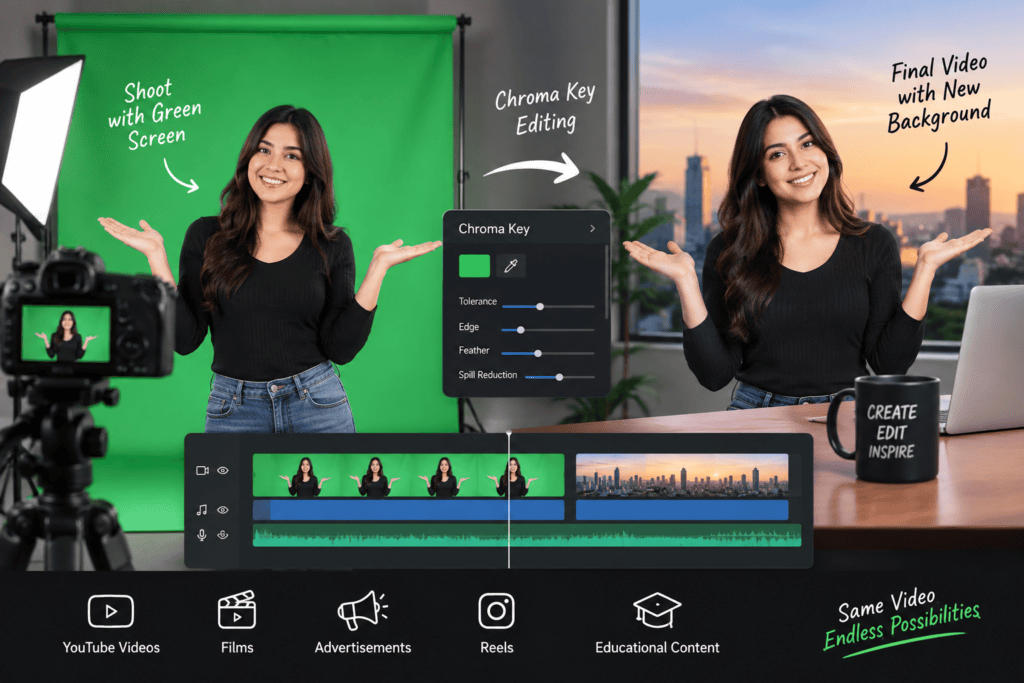
The process uses chroma key technology to separate the subject from the green background. After the green background is removed, you can place the subject in almost any setting, whether it is a real location, a graphic, or a completely digital environment.
What Is Green Screen Editing?
In simple terms, green screen editing removes the green area from a video so you can place the subject in front of a different background. Green is commonly used because it contrasts strongly with most skin tones.
This means creators can change the setting without having to travel to a new location or shoot the same scene again.
How Does Green Screen Work?
The editing software detects the green area and removes it from the footage. Once the background is cleared, you can place an image, video, or digital environment behind the subject.
You can then adjust the new background to match the subject and make the scene look natural. Small details such as green edges can also be cleaned up using chroma key settings.
Why Is Green Screen Used in Videos?
It allows creators to change backgrounds without reshooting the subject. This can save time, money, and production effort.
It is also useful for creating locations and environments that may be difficult to film in real life.
Where Is Green Screen Commonly Used?
Green screen editing is widely used in movies, YouTube videos, advertisements, news presentations, educational videos, and social media.
It is especially useful when creators want to combine real footage with a different location, digital background, or visual effect without filming everything on location.
How Does Green Screen Video Work?
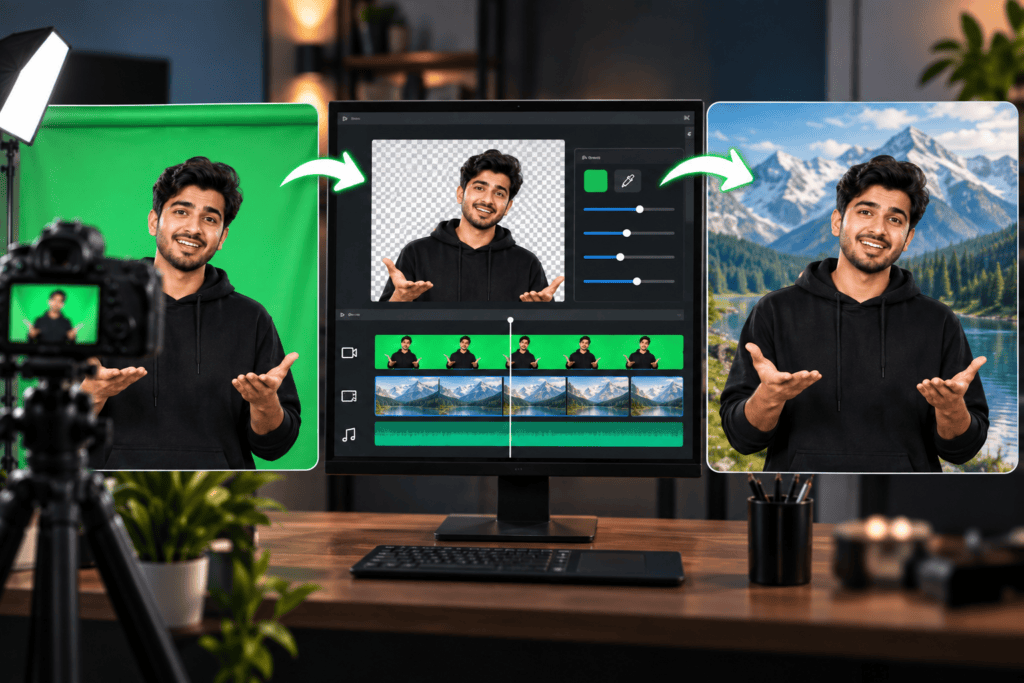
The basic idea is quite simple: record the subject in front of a green screen, remove that background during editing, and place a new visual behind the subject.
The two layers are then combined to create the finished shot.
What Happens During the Green Screen Process?
The footage is imported into editing software and a chroma key effect is applied. The editor then adjusts the key to remove the green background.
After cleaning the edges, a replacement background is added underneath the subject.
What Happens During the Green Screen Process?
The footage is imported into editing software and a chroma key effect is applied. The editor then adjusts the key to remove the green background.
After cleaning the edges, a replacement background is added underneath the subject.
How Does Chroma Key Work in Green Screen?
Chroma key separates the subject from the background based on colour. The software removes pixels that match the selected green colour.
Settings such as tolerance, edge adjustment, and spill suppression help create a cleaner result.
What Do You Need for Green Screen Editing?
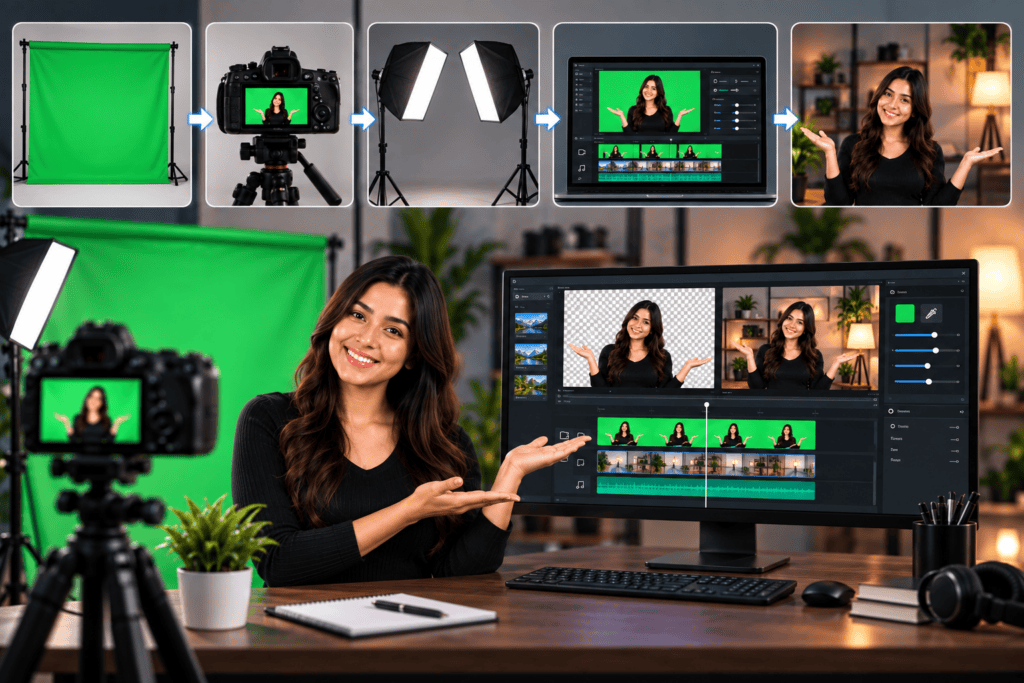
A basic setup requires a green background, a camera, proper lighting, and editing software with chroma key tools.
You do not always need expensive equipment. Good lighting and clean footage can make a major difference.
Editing Software
Choose software that provides chroma key, masking, edge refinement, and color correction features.
Beginners can start with simple applications, while professional editors may prefer advanced editing and compositing software
Green Screen Background and Setup
The green screen should cover the camera frame and remain as smooth as possible. Avoid wrinkles, reflections, and uneven areas.
Keep the subject slightly away from the screen to reduce shadows and green reflections.
Lighting for Better Green Screen Recording
Even lighting is essential for a clean key. Uneven lighting can create different shades of green that are harder to remove.
Use separate lighting for the background and subject whenever possible.
Camera and Video Requirements for Green Screen Video
Use a camera that provides clear, properly exposed footage. Higher resolution and better colour information generally make keying easier.
Avoid excessive compression and motion blur because they can create rough edges.
How to Do Green Screen Editing Step by Step
The process becomes easier when the footage is recorded correctly. Follow a simple workflow from recording to exporting.
Record Your Video With a Green Screen
Place your subject in front of an evenly lit green screen. Keep enough distance to prevent shadows from appearing on the background.
Record a short test clip before shooting the complete video.
Import Your Footage for Green Screen Editing
Import your footage into your preferred editing software and place it on the timeline.
Review the clip and remove unnecessary sections before applying the chroma key effect.
Remove the Green Background
Apply the chroma key tool and select the green background. Adjust the settings until most of the green disappears.
Check areas such as hair, hands, and clothing to make sure the subject remains intact.
Add a New Background
Place your selected background underneath the keyed footage. Resize and position it so that it fits naturally with the subject.
You can use an image, video, animation, graphic, or digital environment.
Adjust the Green Screen Editing Settings
Fine-tune the key, edges, and spill suppression to remove unwanted green areas.
Avoid using extreme settings because they can remove parts of the subject
Preview and Export the Final Video
Watch the complete video and check for green edges, missing areas, or unnatural positioning.
Once the composition looks clean, export it using settings suitable for your platform.
What Are the Benefits of Green Screen Editing?
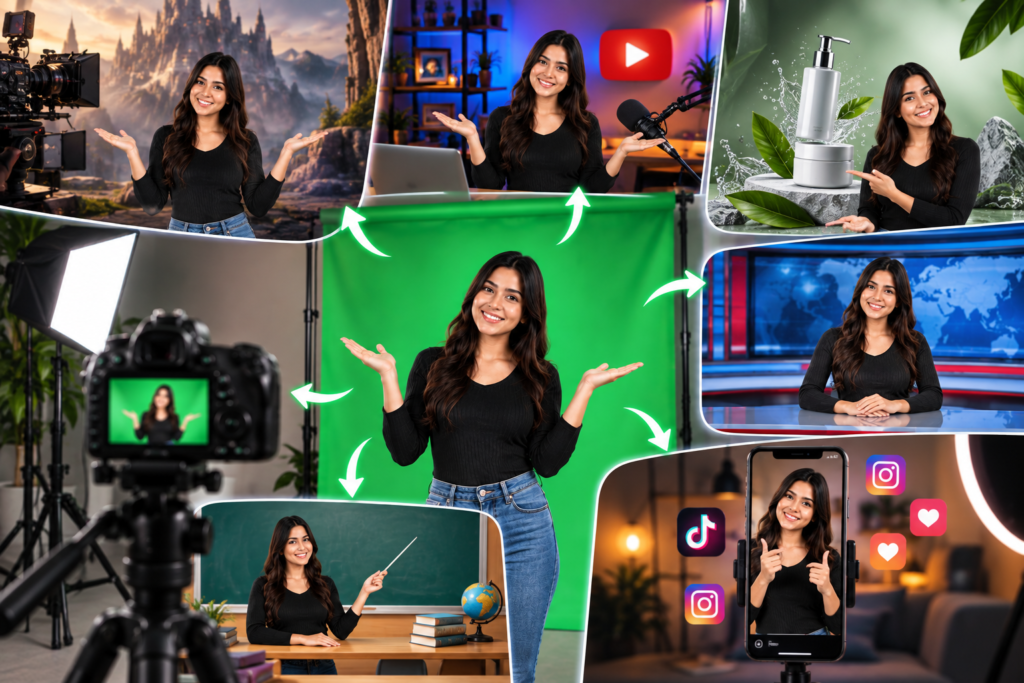
Green screen editing gives creators more control over their video’s background and overall appearance.
It can also reduce the need for expensive locations and physical sets.
Green Screen Editing Gives You Creative Freedom
Creators can place themselves in almost any environment using a suitable background.
This makes it easier to experiment with different visual styles and storytelling ideas.
Green Screen Editing Can Improve Video Production
A clean composite can make videos look more professional and visually engaging.
It also allows creators to combine live footage with graphics, animations, and visual effects.
Green Screen Editing Is Useful for Different Types of Content
It can be used by YouTubers, teachers, filmmakers, influencers, businesses, and course creators.
The technique works for everything from short reels to professional film productions.
What Are Common Green Screen Editing Mistakes?
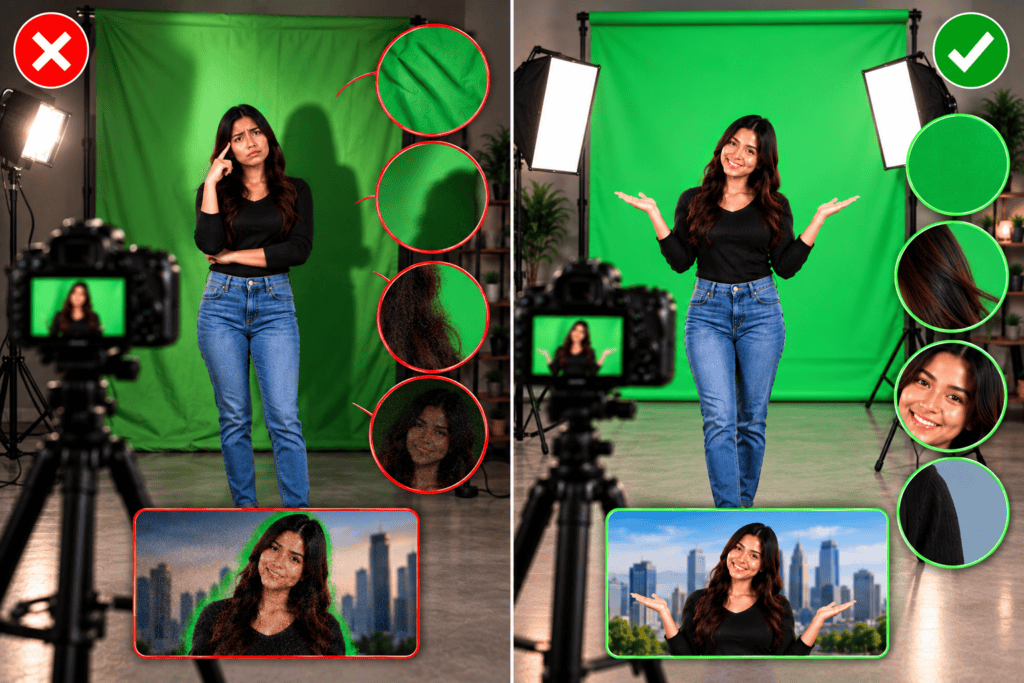
Poor filming conditions can make background removal much harder.
Avoiding common mistakes can save considerable editing time.
Wearing Green Clothes During Green Screen Editing
Green clothing can disappear along with the background when chroma keying is applied.
Choose clothing that clearly contrasts with the green screen.
Incorrect Chroma Key Settings
Overusing keying settings can remove parts of the subject.
Make small adjustments and regularly check the edges of the subject.
Low-Quality Footage for Green Screen Editing
Low resolution, heavy compression, and motion blur can make clean keying difficult.
Start with clear and properly exposed footage whenever possible.
How to Improve Your Green Screen Results?
Good preparation can make the editing process faster and more effective.
Focus on lighting, subject positioning, footage quality, and careful keying.
Use Even Lighting for Green Screen Video Recording
Light the entire green screen evenly to avoid bright and dark patches.
Separate background lighting can help create a cleaner key.
Keep Enough Distance From the Green Screen
Distance helps reduce shadows and green reflections on the subject.
It also makes the subject easier to separate from the background.
Use High-Quality Footage for Green Screen Editing
Use footage with good focus, exposure, resolution, and color information.
Clean source footage generally requires less correction during editing.
Fine-Tune the Chroma Key Carefully
Adjust the key gradually instead of relying completely on automatic settings.
Check fine details such as hair, fingers, glasses, and clothing edges.
Which Software Is Best for Editing?
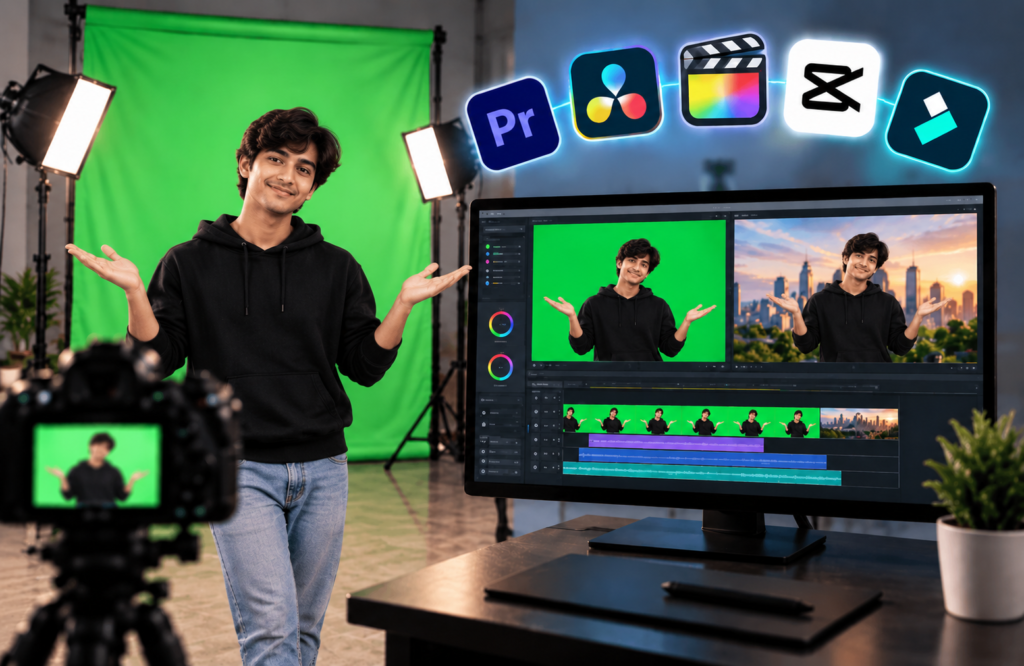
Different editing applications offer different levels of control and complexity.
Your choice should depend on your skill level and project requirements.
Editing in Adobe Premiere Pro
Adobe Premiere Pro provides professional video editing and chroma key tools.
It is suitable for creators who want to combine background removal with editing, audio, and colour correction
Editing in Adobe After Effects
Adobe After Effects is designed for advanced visual effects and compositing.
It provides detailed control over keying, masking, tracking, animation, and other effects.
Editing in CapCut
CapCut is a convenient option for beginners and short-form content creators.
Its simple interface makes basic background removal accessible for social media videos.
Green Screen Editing vs. Other Background Removal Methods
Green screen editing is one of several ways to separate subjects from backgrounds.
AI background removal and rotoscoping can also be useful depending on the project.
Green Screen Editing vs. AI Background Removal
AI background removal can isolate subjects without requiring a physical green screen.
However, a properly recorded green screen can provide more predictable results in a controlled production environment.
Green Screen Editing vs. Rotoscoping
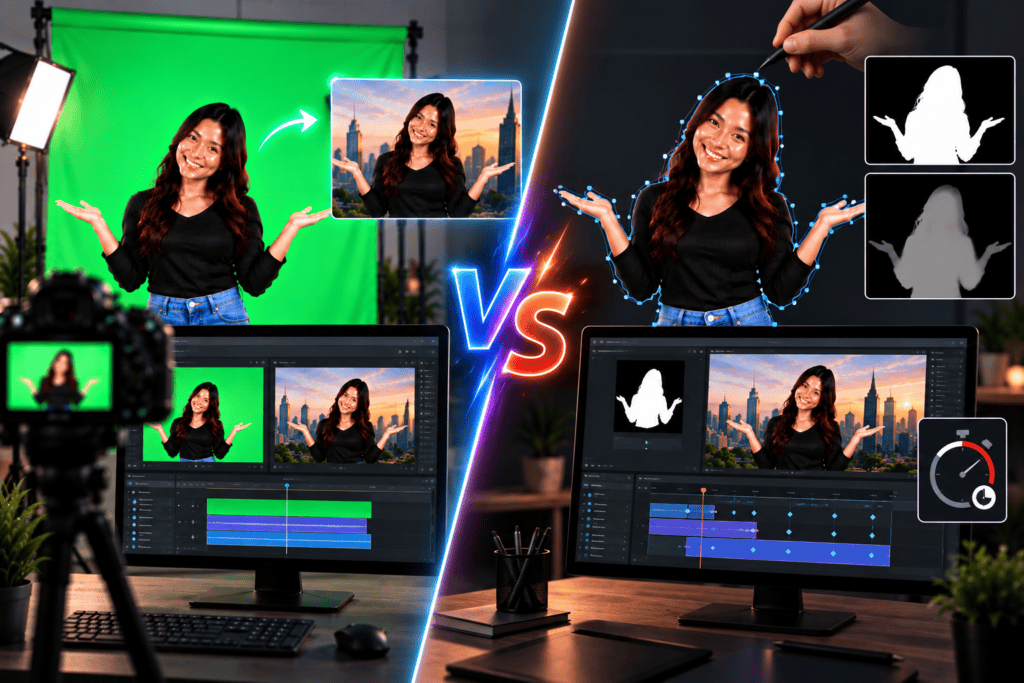
Rotoscoping uses masks to separate a subject from the background manually or automatically.
It can work well with difficult footage, but detailed rotoscoping can take much longer than chroma keying.
When Should You Choose It?
Choose a green screen when you can control the filming environment and need reliable background separation.
It is especially useful for professional videos, repeated productions, and projects requiring background replacement.
Frequently Asked Questions
The basic process is easy for beginners to understand with the right software and practice.
Advanced techniques such as edge refinement and spill suppression require more experience.
Yes. Beginners can start with simple footage and basic chroma key tools.
Practising with short videos is a good way to understand background removal and compositing.
Can Green Screen Editing Be Done on a Mobile Phone?
Yes, several mobile applications provide chroma key and background-removal features.
Mobile editing is particularly suitable for short-form social media content.
Green is commonly used because it contrasts well with most skin tones and is captured effectively by digital cameras.
Blue screens can also be used when the subject contains green clothing or objects.
The cost depends on your equipment and software. Beginners can start with a smartphone, affordable green screen, lighting, and basic editing software.
Professional productions
Learn Professional Video Editing at GICT Institute
Want to turn your editing skills into a professional career? GICT Institute offers practical training designed to help students learn video editing, visual effects, and other industry-relevant creative skills.
With hands-on learning and practical projects, you can build the skills needed to create professional videos and develop a strong editing portfolio. Enroll at GICT Institute and take the next step toward becoming a skilled video editor.
Start Learning Green Screen Editing
Green screen editing is a powerful technique for replacing backgrounds and creating visually engaging videos. With proper lighting, clean footage, and the right editing software, beginners can achieve impressive results.