1. Introduction to Graphic Design
Graphic design is a creative visual communication method that deals with the production of visuals through the use of words and pictures. Through the use of images, colours, typography, and layouts, graphic designers create art that educates, fascinates, and attracts the target audience.
One way or another, graphic design is instrumental in the manner logos, social media posts, website interfaces, or advertisements are presented to the public. Essentially, graphic design is not only about beautifying things – it is also about finding visual solutions to problems and giving the needed information in a neat, efficient manner.
It is imperative for a beginner to know the fundamental principles, be familiar with the tools and recognise different types of graphic design to be able to come up with powerful and impressive designs.
A. Basic Concept of Graphic Design
Graphic design is the art of creating pictures, text, and layouts to communicate ideas or messages visually .To put it simply, it is the work of designers to beautify and facilitate the understanding of the communication of the message through posters, logos, social media posts, or websites.
B. The Importance of Graphic Design in Today’s Digital World
Graphic design helps brands attract attention and communicate clearly in the digital world. Strong visuals build brand identity, improve user experience, boost trust, increase customer loyalty, and support business growth across websites, social media, and advertising platforms.
2. What Exactly Is Graphic Design
A. Understanding the Basics of Graphic Design
Graphic design is basically an art through which the artist communicates his ideas to the viewer by use of images, colours, typography, and layouts. Essentially, graphic design is a creative approach to solving problems whereby the result is visually attractive content that is able to convey the intended message to the target audience
Novices should familiarise themselves first with the necessary elements such as colour, typography, image, and layout in addition to the essential principles like balance, contrast, and hierarchy. By understanding these fundamentals, anyone will be capable of producing works that not only look good but also have a deeper level of meaning.
B. The Main Purpose of Graphic Design
The main function of graphic design is to convey ideas and messages in a visual form. Through the use of colours, pictures, typography, and layouts, it makes the content understandable, appealing, and easy to remember. Graphic design is the vehicle that helps brands, products, and messages to be visible, to excite the audiences, and to have a lasting effect both in the digital and real world.
3. Types of Graphic Design
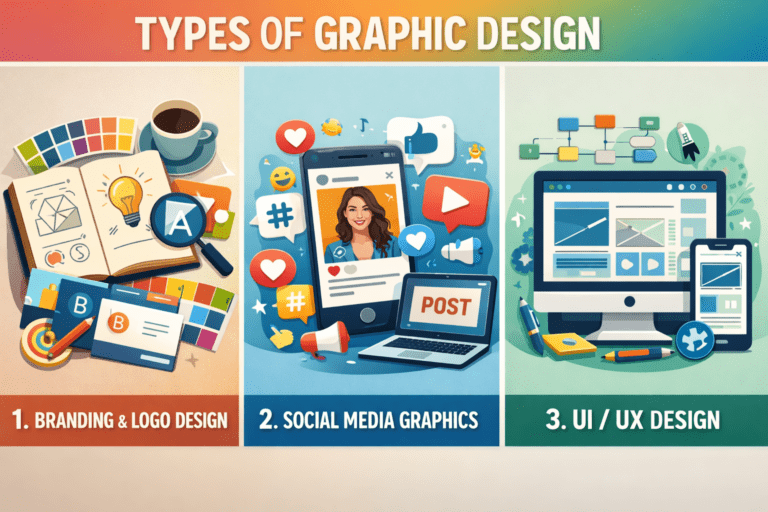
A. Branding & Logo Design
Branding gives a company, product, or service a unique personality through colors, fonts, style, and visuals. A logo, a key part of branding, is a simple, memorable graphic that represents the brand’s identity and makes it easily recognisable and understood by people.
B. Social Media Graphics
Social media graphics refer to the visual content that is specially made for such platforms as Facebook, Instagram, Twitter, LinkedIn, and TikTok. They are the visual elements, e.g., images, banners, posts, stories, infographics, and promotional visuals that are created for the purpose of attracting the attention of the target audience, quickly delivering the brand’s message, and getting the audience involved.
Effective design visuals contribute to the growth of likes, shares, and followers, as well Graphic Design for Beginners as the increase of brand awareness and making the brand’s message more memorable and of a higher professional level. Social media graphics are a must-have for businesses, influencers, and creators if they want to be noticed in the digital world of today.
C. UI/UX Design
UI (User Interface) Design is very much about the visual aspect of a digital product. Graphic Design for Beginners The work of UI designers is to include the layout, buttons, colours, icons, and the overall visual style in the websites and apps. UI designers turn the interface into an appealing and understandable one.
UX (User Experience) Design is an idea about the inner workings and emotional side of the product, rather than the outer look. The aim is to have the user’s journey be so smooth, simple, and enjoyable. Graphic Design for Beginners UX designers develop the structure, navigation, flow, and general user happiness.
4. Elements of Graphic Design
A. Colour
Color is a key element in graphic design. It sets the mood, evokes emotions, and enhances visual appeal. Different colors convey different messages—blue signifies trust, red excites, and yellow brings happiness—making color essential for effective and engaging design.
B. Typography
Typography is the art of arranging text to make it readable and visually appealing. It involves fonts, sizes, spacing, alignment, and style. Good typography enhances communication, sets the mood, improves readability, and ensures the message is clear and effective.
C. Shapes & Lines
Shapes and lines are the simplest units in any graphic design. Graphic Design for Beginners Lines are used to separate areas, attract the Graphic Design for Beginners eyes of the viewer, and build up an impression. Shapes such as circles, squares, and triangles give more life to a design. Various shapes and lines evoke different emotions, e.g., stability, movement, or creativity. If they are used properly, they facilitate the organisation, equilibrium, and attractiveness of the design.
5. Tools Used in Graphic Design
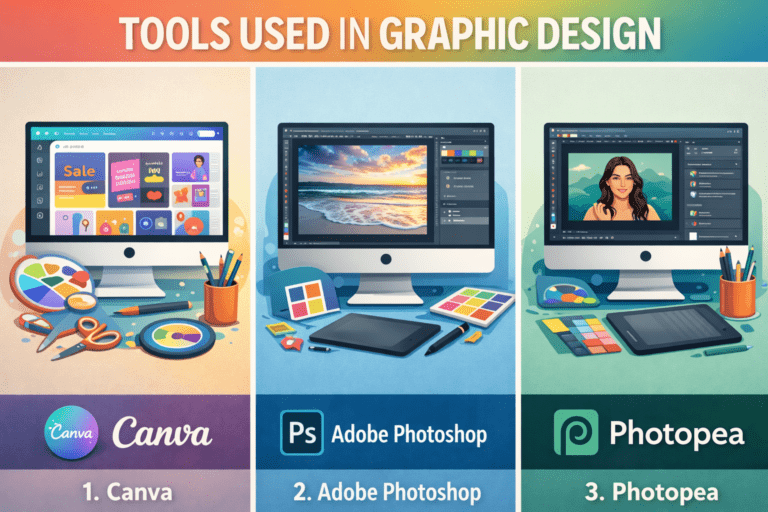
A. Canva
Canva is a user-friendly web-based graphic design tool which supports both newbies and experts in creating visually appealing works Graphic Design for Beginners without the need of having any advanced design skills. Essentially, it provides theme-based layouts for Instagram, Facebook, Twitter, and LinkedIn posts, posters, presentations, logos, flyers, and thumbnails.
B. Adobe Photoshop
Adobe Photoshop is professional graphic design and photo editing software that is a primary choice among designers, photographers, and digital artists. The software is predominantly used in the areas of photo editing, retouching, background removal, digital artwork, and social media design. Photoshop makes the process of creating visually appealing and innovative graphics both for the web and for print media simple.
C. Photopea
Photopea is a no-cost, internet-based graphic design and image editing software that Graphic Design for Beginners Graphic Design for Beginners runs right in the browser and does not require any installation. It can handle PSD, XCF, Sketch, and various other file formats; thus, it can be used as a substitute for Photoshop. Photopea is perfect for rapid fixes, taking out the background, Graphic Design for Beginners and easy graphic design work.
6. Skills Every Beginner Should Learn
A. Basic color sense
Having basic colour sense is knowing how colours can be mixed and how they can affect people’s feelings as well as the appearance of a design. It also involves the knowledge of primary, secondary, and complementary colours, contrast, harmony, and balance. With a proper colour sense a designer can come up with the best colour combinations, enhance readability and make the designs look visually appealing and of good quality.
B. Choosing the right fonts
Selecting correct fonts matters greatly because fonts are the major factors that determine the appearance and the readability of a design. A proper font is supposed to reflect the emotion of the design and be legible on any device. Overloading a design with fonts can result in a disorganised design; thus, it is advisable to use one or two fonts that complement each other for a neat and professional appearance.
C. Layout & composition
‘Layout’ and ‘composition’ are basically the words that describe the way the texts, images, and other elements of the design are organised on the page. A nice layout is one that makes the design appear tidy, well-balanced, and user-friendly. A correct composition not only helps the eyes of the user to move through the design, but also it makes the design more attractive by creating a better flow and drawing attention to the important pieces of information.
7. Principles of Effective Graphic Design
A. Balance and Alignment
Balance ensures that design elements are evenly distributed, creating a stable and visually pleasing layout. Proper alignment helps organize content and makes designs easier to understand and navigate.
B. Contrast and Emphasis
Contrast highlights key elements by using differences in colour, size, shape, or style to make them stand out clearly. Emphasis directs the viewer’s focus to important messages, improves readability, strengthens visual impact, and ensures the design communicates its purpose effectively.
C. Visual Hierarchy
Visual hierarchy directs the viewer’s eye through a design by arranging text, images, and elements based on their importance. By using size, colour, spacing, and placement, it helps users quickly identify key information and understand what to read or notice first.
8. Graphic Design for Beginners: Common Mistakes to Avoid
A. Overusing Colours and Fonts
Using too many colours and fonts can confuse viewers and reduce the clarity of a design. A simple, well-chosen colour palette and one or two complementary fonts create visual balance, improve readability, and give the design a clean, professional, and appealing look.
B. Ignoring White Space
White space, also called negative space, is essential in design as it improves readability, enhances focus, and creates balance. Ignoring it makes designs appear crowded, cluttered, and overwhelming, making it harder for viewers to navigate and understand the content effectively.
C. Poor Image Quality
Using blurry or low-resolution images can significantly reduce the overall impact of any design, making it appear unprofessional and less credible. High-quality, crisp visuals not only grab attention but also convey a polished, trustworthy, and professional impression to viewers.
9. Tips to Improve Graphic Design Skills Faster
A. Follow Design Trends
Stay updated with the latest design trends to understand what works in the industry. Observing current styles and techniques can inspire your own work and keep your designs modern and relevant.
B. Analyze Professional Designs
Study the work of experienced designers to learn effective layout, color schemes, typography, and composition. Breaking down professional designs helps you understand design principles in practice.
Learn Graphic Designing from GICT and Supercharge your growth
7. Conclusion
Graphic design is creative + skill-based
Graphic design is one of the arts that requires both creativity and skills. The creative aspect helps designers to come up with new ideas and eye-catching visuals, whereas the skills part is necessary when working with the design tools, selecting colours and fonts, and producing the layouts that are visually balanced. A graphic designer who is able to integrate the creative power of the mind with the pragmatic design skills is the one capable of making the right and professional designs.
Practice is the key to becoming a good designer
Design practice is the essential thing that will eventually turn you into a great designer. You get better at your work the more you do it by yourself, and as a result, you get to understand the use of colours, fonts, layouts, and tools by yourself. Constant practice keeps the creative power alive, raises one’s designer skill and helps a designer to grow his/her own distinctive style. Just a little daily practice can have a huge effect in the long run.