What are advanced Excel skills for a job?
Advanced Excel skills for job seekers help users to manage, analyse, and present data more efficiently. It includes formulas, pivot tables, charts, dashboards, Power Query, and automation.
Many companies use Excel for reporting, accounting, finance, and data management. Learning Advanced Excel can improve productivity and help you become more job-ready
What are advanced Excel skills for job?
Advanced Excel skills for a job mean using powerful Excel features to manage and analyse data. Unlike basic Excel, it helps users handle complex calculations, large datasets, reports, and automation.
It is useful for professionals who work with numbers, reports, sales data, financial records, and business information.

Advanced Excel vs Basic Excel

Basic Excel is mainly used for data entry, simple calculations, formatting, and basic spreadsheets.
Advanced Excel includes complex formulas, PivotTables, dashboards, data analysis, Power Query, and automation.
Who Uses Advanced Excel Skills for job
Advanced Excel is commonly used by data analysts, MIS executives, accountants, finance professionals, and business analysts.
It is also useful in HR, administration, sales, marketing, and operations, making it a valuable workplace skill.
What skills are included in advanced Excel skills for job?

Advanced Excel includes several skills that help professionals work with data faster and more accurately.
The most important skills include formulas, pivot tables, data visualisation, Power Query, data cleaning, and automation.
Advanced Excel skills for job: Formulas and Functions

Advanced formulas help users perform complex calculations and analyze information efficiently.
Functions such as XLOOKUP, VLOOKUP, IF, INDEX, MATCH, SUMIFS, and COUNTIFS are commonly used.
Pivot Tables and Pivot Charts
Pivot tables help summarise large amounts of data quickly. They can organise information by categories, dates, products, or departments.
Pivot Charts turn this information into visual reports, making comparisons and trends easier to understand.
Data Sorting, Filtering and Validation
Sorting and filtering help users quickly find specific information in large datasets.
Data validation can control what users enter into a spreadsheet and help maintain accurate and organised data.
Conditional Formatting
Conditional Formatting automatically highlights cells based on specific conditions.
It can be used to identify high sales, low performance, overdue dates, duplicate data, or values above a target.
Excel Charts and Data Visualization
Charts convert numbers into simple visual information that is easier to understand.
Professionals can use charts to show trends, comparisons, and business performance in reports.
Power Query and Data Management
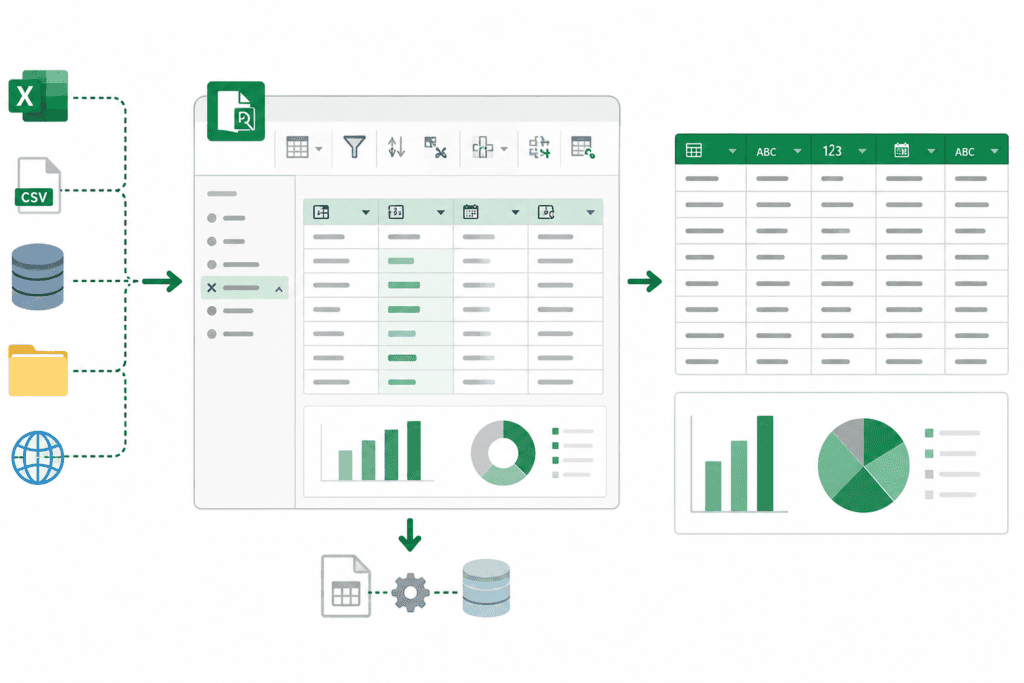
Power Query helps users import, clean, transform, and combine data from different sources.
It can reduce repetitive manual work and make data preparation faster and more organised.
Macros and Excel Automation
Macros can automate repetitive Excel tasks and save valuable working time.
They are especially useful for professionals who regularly create reports, format data, or perform repeated calculations.
Why Advanced Excel Skills are Important for a job
Advanced Excel helps employees manage data, prepare reports, and complete workplace tasks more efficiently.
It can improve productivity, reduce repetitive work, support business decisions, and strengthen your professional skill set.
Helps You Analyze Data Faster
Advanced Excel tools help users analyse large datasets without manually checking every record.
Formulas, pivot tables, filters, and charts make it easier to identify trends and generate reports.
Improves Workplace Productivity
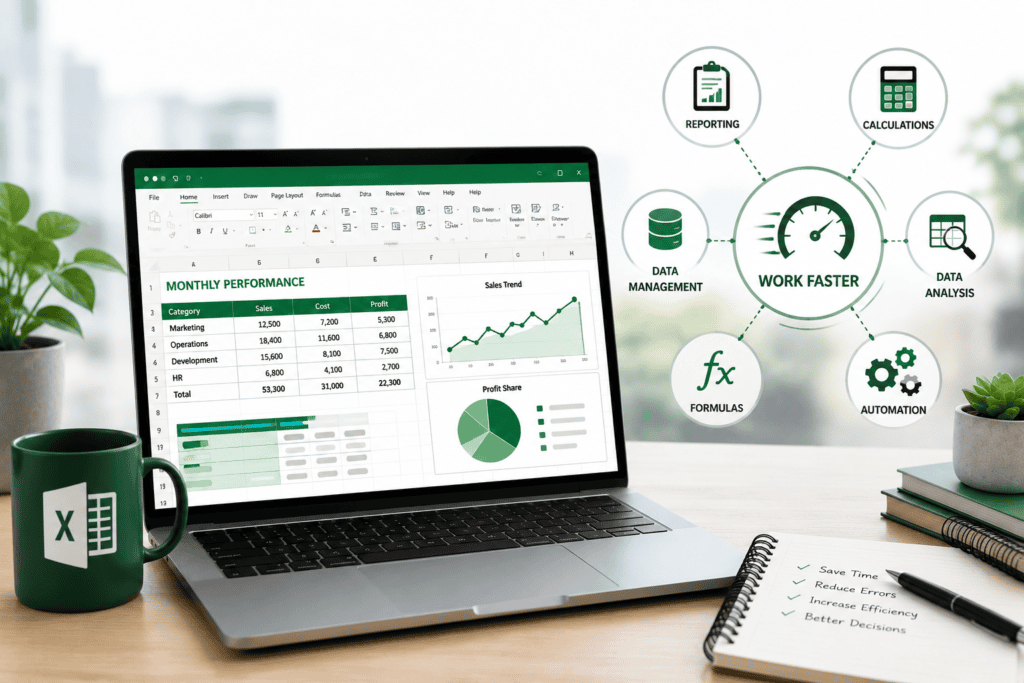
Excel can simplify everyday tasks such as reporting, calculations, data management, and analysis.
Using formulas, templates, Power Query, and automation can help professionals complete work faster.
Build In-Demand Workplace Skills

Advanced Excel develops skills such as data analysis, reporting, problem-solving, and data visualisation.
These skills can be useful across different industries and professional roles.
Prepare for career growth with advanced Excel skills for job

As your responsibilities increase, you may need to create reports, analyse data, or support business decisions.
Advanced Excel skills can help you handle these tasks with greater confidence and efficiency.
How long does it take to Learn Advanced Excel skills for job?
The learning time depends on your existing Excel knowledge, practice, and learning schedule.
With regular practice, you can gradually move from basic Excel to advanced formulas, data analysis, dashboards, and automation.
Practical Projects and Workplace Applications
Practise with real-world datasets and build projects such as sales reports, expense trackers, or dashboards.
How to Learn Advanced Excel Skills for a Job Effectively

The best way to learn Advanced Excel is to combine lessons with regular hands-on practice.
Focus on important features first and gradually build your skills through practical exercises.
Practice With Real-World Data
Practice with sales, employee, customer, inventory, or expense datasets.
Real-world data helps you understand how Excel is used in actual workplaces.
Work on Practical Excel Projects
Create projects such as sales dashboards, expense reports, attendance trackers, and inventory sheets.
These projects can improve your confidence and demonstrate your practical skills.
Learn Through an Excel Course
A structured course can provide a clear learning path and guided practice.
GICT (Global Institute of Computer Technologies) can help learners develop practical, job-oriented computer skills.
Conclusion: Is Advanced Excel Important for Jobs?
Yes, Advanced Excel is an important workplace skill for many professionals. It helps with data analysis, reporting, automation, productivity, and decision-making.
Learning advanced Excel through regular practice and practical projects can help you develop useful job-orientated skills.
Start Learning Advanced Excel Today
Want to develop practical Excel skills for the workplace? Start learning Advanced Excel with GICT and build your knowledge of formulas, data analysis, dashboards, and automation.